WHOOP captures sleep, recovery, and workout data continuously—but without integration into the broader performance workflow, that insight can remain siloed from the training, wellness, and medical context needed to support daily decisions.
With iP: Intelligence Platform, WHOOP data becomes part of one connected system—aligned with training load, athlete monitoring, and medical information. Through My iP, teams can report on and visualize this connected data to help teams manage readiness, reduce overload risk, and make more informed decisions each day.
The Challenge: Recovery Data Loses Value Without Context
Recovery data is most useful when it is visible in time to influence the day ahead.
Teams frequently face challenges such as:
- WHOOP data living outside the main performance workflow
- Sleep, recovery, and HRV trends disconnected from training load and medical context
- Manual exports and imports that delay access to insight
- Limited visibility across coaches, performance staff, and medical teams
- Difficulty using recovery data to support daily readiness and load decisions
Without integrated context, it becomes harder to understand what recovery trends mean, when intervention is needed, and how readiness should influence the plan.
What We Hear from Teams
- “Our athletes wear WHOOP every night, but getting the data into our system still takes too much manual work.”
- “We can see recovery scores in the app, but not alongside training load or medical notes.”
- “Sleep and HRV data are helpful, but only when they’re connected to the rest of the athlete picture.”
- “We need recovery insight before training starts—not after someone has had time to run an export.”
The result: delayed decisions, fragmented workflows, and recovery data that arrives too late to shape action.
The Solution: WHOOP + iP for Connected Recovery Intelligence
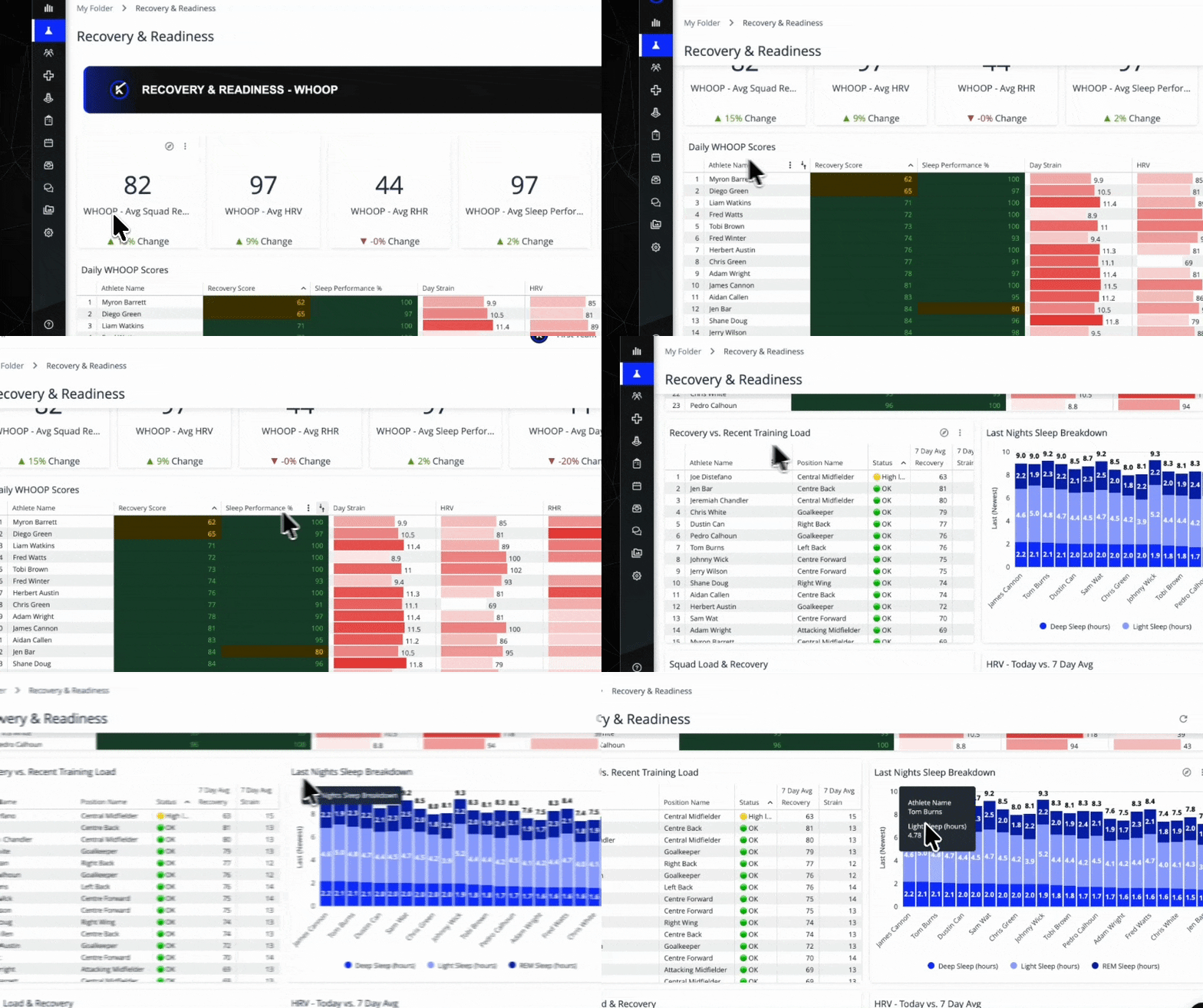
With WHOOP integrated into iP: Intelligence Platform, teams can view recovery and physiological metrics within the same environment they use for training load, wellness monitoring, and medical workflows. In My iP, staff can then visualize, report on, and explore that connected data through shared dashboards.
This unified workflow enables staff to:
- Automatically import WHOOP recovery, sleep, and activity data, including Recovery Score, HRV, Resting Heart Rate, Sleep Performance, Respiratory Rate, Strain, time in heart rate zones, and logged activities.
- Align WHOOP data with training load, wellness responses, and medical information
- Monitor sleep duration, efficiency, stages, and consistency over time
- Identify fatigue patterns earlier using connected recovery insight
- Support readiness and availability decisions with greater confidence
- Extend recovery analysis over time through Fusion
This integration makes recovery data easier to access, easier to interpret, and easier to act on across departments.
What You Can Do in iP: Intelligence Platform
Seamless WHOOP Data Import & Alignment
- Athletes connect WHOOP through the Athlete App using a simple OAuth flow
- Sleep, recovery, and workout data imports automatically following WHOOP event processing
- Data is mapped directly to athlete profiles and aligned with existing performance records
Analyze and Report on Recovery in My iP
Using dashboards in My iP, staff can:
- View recovery, activity, and physiological metrics for individuals or across the squad
- Track sleep duration, sleep efficiency, disturbances, stages, and consistency
- Compare recovery trends against training load, wellness responses, and medical notes
- Identify patterns that may indicate rising fatigue or reduced readiness
- Filter and explore the data by athlete, group, or time period
- Share recovery reporting with the staff who need it
Support Daily Readiness Decisions
Using integrated dashboards, teams can:
- Identify athletes who may require modified intensity or adjusted volume
- Evaluate how recovery trends shift across training blocks and competition windows
- Compare subjective readiness against objective recovery data
- Make daily planning decisions with clearer physiological context
Strengthen Communication Across Departments
- Coaches, performance staff, and medical teams work from one shared view
- WHOOP data sits alongside readiness, workload, and medical context
- Shared dashboards give each department a consistent reference point for recovery reporting
- Daily decisions around training, recovery, and return to play become clearer and more aligned
The Results: Faster Insight, Better Alignment, Less Manual Work
By integrating WHOOP into iP and reporting on the data through My iP, teams can:
- Reduce manual data handling
- Identify fatigue trends earlier
- Connect recovery markers to training demand and medical context
- Improve readiness planning with connected daily insight
- Strengthen visibility across departments
- Build a more consistent recovery record across the season
This unified approach gives teams a clearer view of how athletes are recovering—and what that means for training, readiness, and performance.