After training, your team may have GPS data in one system, wellness scores in another, and performance testing data somewhere else.
Bringing that information together takes time. Without a clear view, it can be hard to decide whether an athlete needs more training, less load, or a change to the next session.
Sports training software should make those decisions easier. For performance teams, the goal is to see what athletes did, how they responded, and what to consider next, without rebuilding reports each week.
The right platform connects training and performance data so sports scientists, strength and conditioning coaches, analysts, and other staff can use it in their daily work.
What Is Sports Training Software?
Sports training software helps teams collect, review, and share information about athlete training and preparation. Some platforms focus on monitoring; others support wider team workflows.
Depending on the platform, that can include:
- Session planning
- Tracking and external load monitoring
- Strength and conditioning
- Athlete readiness and wellness
- Performance testing and assessments
- Athlete monitoring
- Reporting and analytics
- Broader athlete management
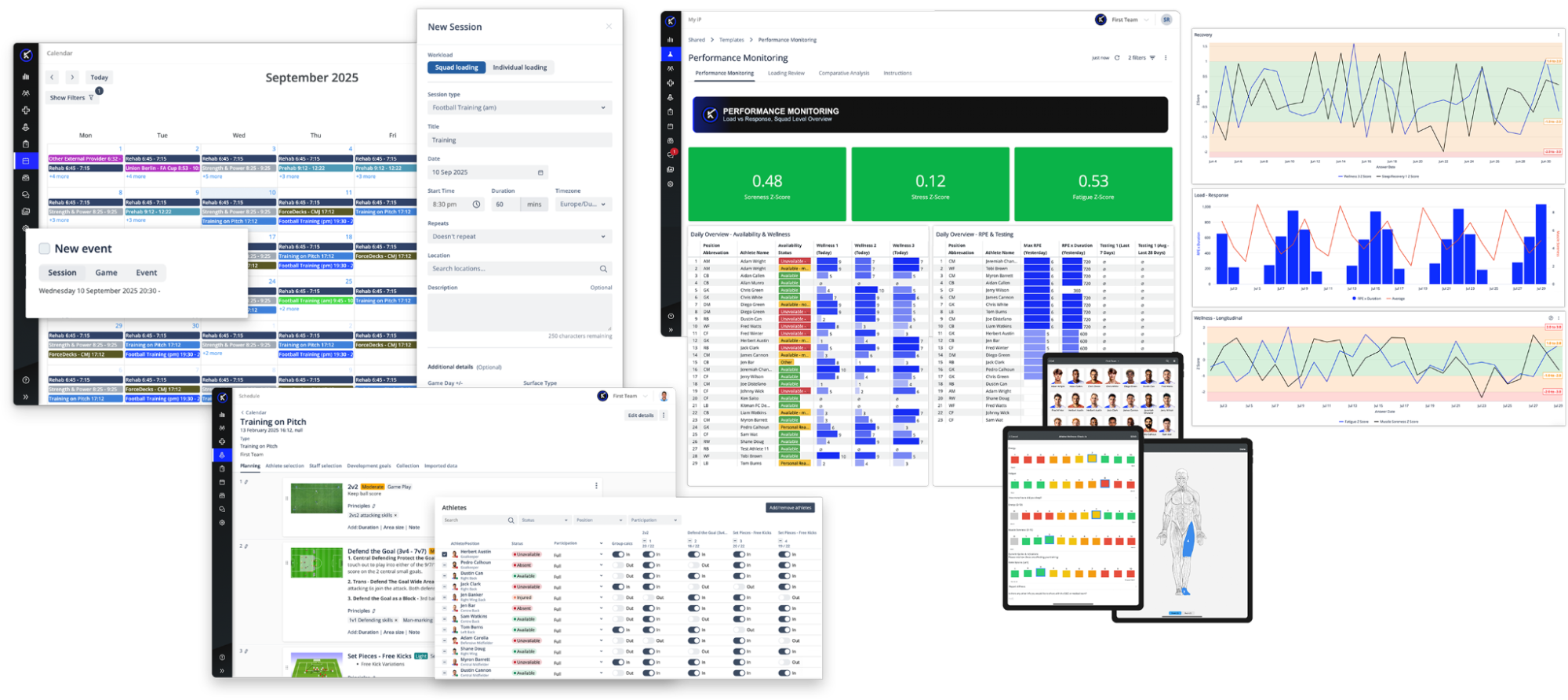
These platforms do not all do the same job. Before choosing one, check whether it helps your staff answer the questions they face each day.
Monitoring or Management: Which Type Do You Need?
Two products described as sports training software can sit in different categories. Athlete monitoring systems are built to capture and interpret training load, readiness, testing, and athlete response. Athlete management systems work across a broader scope, connecting that information to the wider athlete record, the workflows around it, reporting, and permissions.
We cover that difference in full in a side-by-side comparison of the two categories.
The table shows common areas of focus, not guaranteed features. Check each vendor’s actual capabilities, integrations, and permissions.
| Athlete Monitoring System | Athlete Management System | |
External load monitoring | Typical focus | Depends on platform |
Internal load and readiness | Typical focus | Depends on platform |
Changes in load over time | Typical focus | Depends on platform |
Broader athlete record | Varies by platform | Depends on platform |
Medical information | Varies by platform | Depends on platform |
Availability and return to play | Varies by platform | Depends on platform |
Permissions and governance | Varies by platform | Depends on platform |
Cross-department workflows | Varies by platform | Depends on platform |
Organization-wide reporting | Varies by platform | Depends on platform |
For performance teams, the key is to review load, readiness, and performance testing data alongside the athlete information they need, with access appropriate to each role.
Evaluating sports training software?
Use our practical checklist to compare platforms across seven areas, from training load and reporting to data quality, integrations, and support.
Download the Sports Training Software Evaluation Checklist →
Where Sports Training Platforms Can Fall Short
Even teams with several tracking tools can struggle to get a clear answer when it is time to plan the next session.
| Common Issue | What It Creates |
| Monitoring operates separately from broader athlete management | Teams work separately |
| Data is collected without consistent structure | Unreliable long-term comparisons |
| Reporting depends on manual processes | Lost staff time |
| Staff must repeatedly combine data from different systems | Harder to trust reports |
| Information is isolated by role or department | Staff miss useful context |
| Different systems use different athlete records or definitions | Inconsistent information across teams |
The result: plenty of data, but too much manual work before staff can act on it.
What Sports Training Software Should Deliver
Start with the work your performance team does each day. Can the software help staff review load, understand readiness, plan training, and communicate clearly with coaches?
1. Connect Training Data With the Athlete Record
Staff should be able to review training load, readiness, and performance testing data alongside the relevant athlete record, without switching between several tools.
2. Keep Data Accurate and Consistent
Use consistent athlete records, metric definitions, and data checks. That makes it easier to compare sessions, athletes, and seasons.
Without consistent data, changes over time are harder to interpret.
3. Protect Data and Control Access
Choose a platform that controls who can see and change sensitive athlete information and keeps a record of relevant changes.
You should also know who owns your data, where it’s stored, and how you export all of it when you need to.
4. Review Load and Readiness Together
Staff need a clear picture of:
- What the athlete did
- How the athlete responded
- How those measures are changing over time
- What to consider when planning what comes next
Staff should be able to compare an athlete’s recent load and readiness with their own history, not just a team average.
5. Bring Your Existing Tools Together
Your GPS, wearables, and performance testing tools should connect with the platform where staff review results. Check which data comes across, how often it updates, and what happens when an import fails.
Good integrations save staff from repeated file exports and manual checks.
6. Give Each Role the Right View
Sports scientists may need drill-level load and individual trends. Coaches may need a short training summary. Medical staff need the information relevant to athlete care, with appropriate access controls.
Reports should be easy to filter, share, print, or export without rebuilding them for every meeting.
7. Fit Your Weekly Training Routine
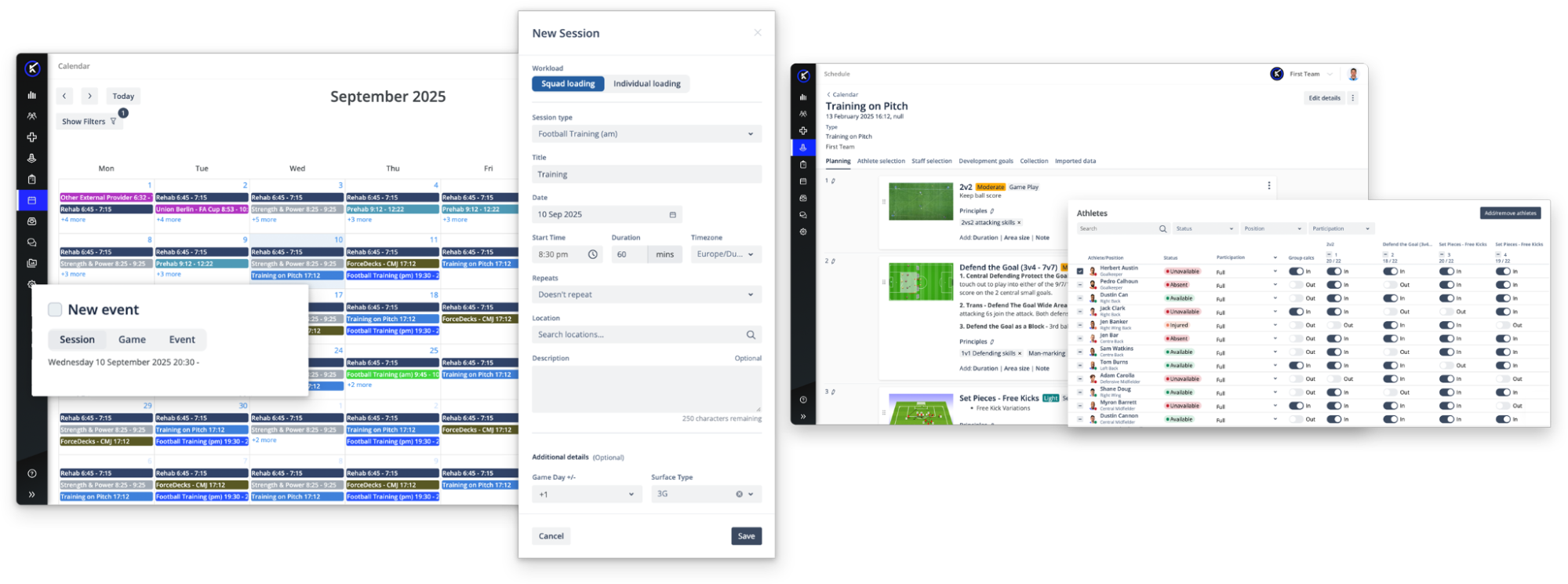
Staff review training blocks, competition preparation, recovery, return to play, and performance testing data throughout the week.
The platform should fit how your team reviews training, adjusts plans, and shares updates. Multi-sport programs should be able to support different sports and teams.
Questions Performance Teams Should Be Able to Answer
The best test is whether staff can move from data to a useful training decision. For example:
- Which drill drove the load? See each athlete’s GPS output by drill, not just the total for a session.
- How does this week compare? Review training load against similar days in previous gameweeks and the demands of competition.
- How is the athlete responding? Review recent load, wellness, recovery, and performance testing results together.
- Can coaches use the answer? Share a clear summary before the next session or review meeting.
- Can we learn from it? Compare changes in training load and athlete response over several weeks.
- Can we trust the data? Check for missing or inconsistent records before using trends to guide a decision.
The goal is not to make every decision automatically. It is to give staff reliable information quickly enough to use it.
How Kitman Labs Supports Connected Athlete Monitoring
Kitman Labs helps performance teams review training and athlete information in one connected platform.
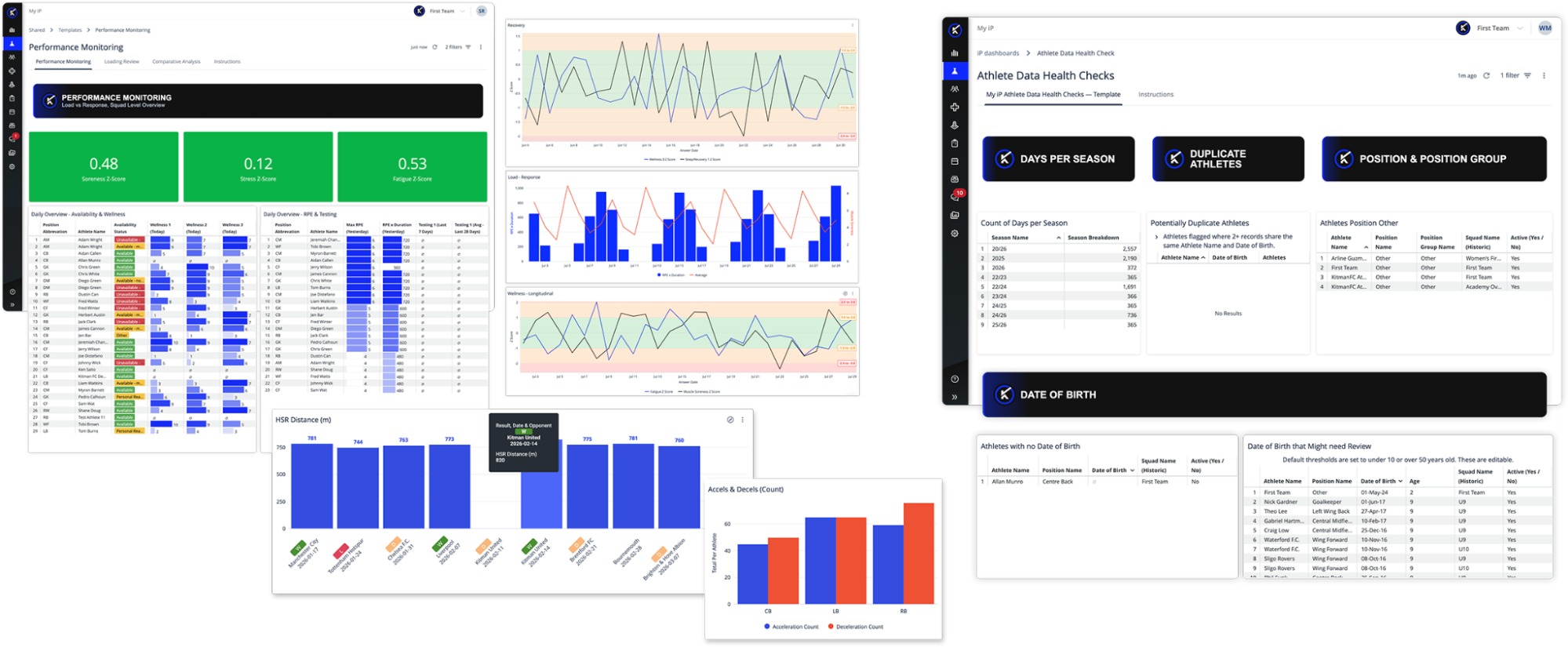
The Performance Optimization Solution in iP: Intelligence Platform brings training load, readiness, performance testing data, and other performance information together for everyday athlete monitoring.
Because Performance Optimization runs inside iP, that information sits alongside data from every other enabled Solution. An organization running both the Performance Optimization Solution and the Performance Medicine Solution works with training and monitoring information and the relevant medical and availability context in the same environment, not in two systems joined by an export.
iP also brings the Data Health experience to that information: inputs are validated at the point of entry, and data is reviewed on an ongoing basis through the Data Health Check Dashboards in My iP. These checks help staff find data issues and support more reliable comparisons over time.
iP supports controlled access to sensitive athlete information. Kitman Labs also maintains ISO 27001 and ISO 27701 certifications for information security and privacy. Confirm the scope of relevant controls and certifications during evaluation.
For performance staff, that means:
- Review training and monitoring information alongside relevant athlete records
- Bring together supported tracking, wellness, and performance testing data
- Share relevant information across departments with the right permissions
- Use dashboards built for different staff roles
- Compare athlete trends over time
For example, a sports scientist can review session and drill loads, compare them with previous gameweeks, and share the findings with coaching staff through My iP.
What Connected Data Changes for Performance Staff
- Training decisions. Review changes in readiness, workload, and athlete response before adjusting a session.
- Less manual reporting. Spend less time exporting data and rebuilding the same weekly reports.
- Long-term trends. Compare an athlete’s load and performance testing results over time.
- Clearer conversations. Share the relevant findings with coaches and other staff.
The value comes from using information, not just collecting it.
How to Choose Sports Training Software
Ask vendors to show how the platform supports your actual training week:
- What decisions do we need the system to support?
- Does it connect athlete monitoring with the wider information our staff need?
- Can it support our real weekly workflows across the sports and teams we manage?
- How easily can it bring together data from the technology we already use?
- Will it reduce manual exports and reporting, or just move that work elsewhere?
- Can different departments work from consistent athlete information?
- Can we control access to sensitive information and track changes?
- Who owns our data, and can we export all of it when we need to?
- Will the vendor show us how our own training and reporting workflows would work?
A useful demo follows a real question, from collecting data through reviewing it and sharing a decision.
For a more structured assessment, work through the Sports Training Software Evaluation Checklist to compare platforms area by area, from data quality to support.
Make Training Data Work for Your Team
The right software helps performance staff answer everyday questions about training, readiness, and athlete progress. It should also save time when sharing those answers.
Look for connected data, clear reports, and workflows that fit the way your team works.
If staff still have to piece together data before each meeting, ask vendors to demonstrate a simpler workflow.
The best question is not simply what a platform can track. It is what your team can do with the information.
Ready to see how iP: Intelligence Platform connects athlete data, workflows, and reporting across your organization? Request a demo built around the way your staff actually operates.