Performance teams do not struggle because they lack data. They struggle when the right signals are hard to interpret quickly enough to support the next training decision. Wellness responses, recovery markers, testing outputs, and previous-day load each tell part of the story. When that information sits across disconnected views or has to be pulled into a report manually, clarity comes too late to be as useful as it should be.
The Performance Monitoring Dashboard in My iP gives organizations a structured starting point for daily monitoring. Once configured around the team’s data, metrics, and thresholds, it becomes a focused dashboard for reviewing readiness, recovery, and response to recent load.
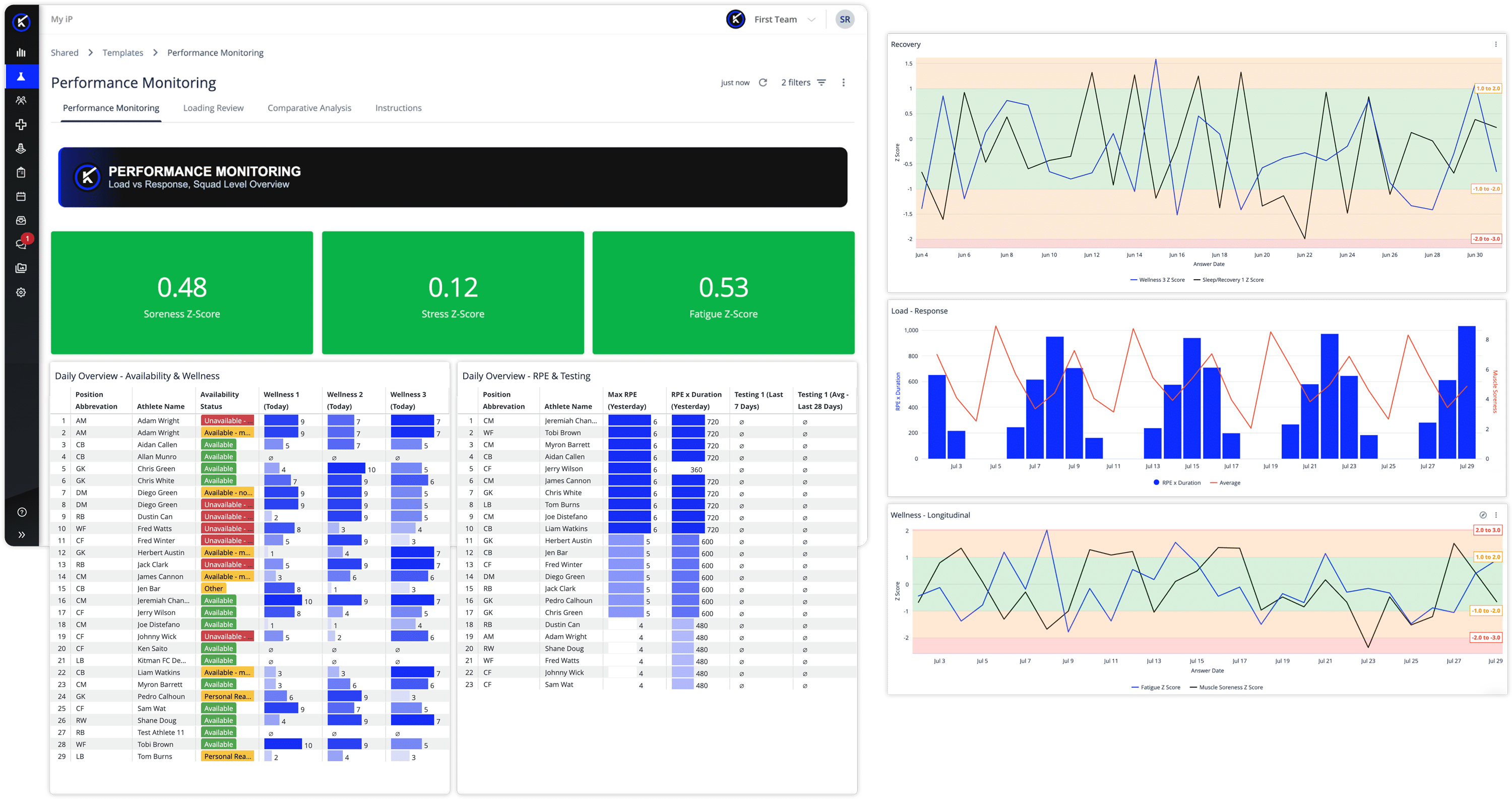
Available to organizations with the Performance Optimization Solution enabled in iP: Intelligence Platform, it helps performance staff prepare for training, review the team’s response to the previous day’s work, and flag individuals who may need adapted training or increased monitoring.
Why Daily Monitoring Still Slows Down Decision-Making
Most teams already collect the inputs they need.
The problem is turning those inputs into a clear view of what matters now.
Performance staff are often reviewing wellness, recovery, testing, and recent load at the same time. Each can be useful on its own, but the value comes from understanding how they relate. Without a single accessible view, that interpretation takes longer than it should.
The result is friction at the moment teams need clarity most. Instead of helping staff act faster, the monitoring process can become another layer of work.
The Performance Monitoring Dashboard is designed to reduce that friction by bringing the most relevant monitoring views into one place.
A Self-Service Reporting Experience Built for Daily Monitoring
The Performance Monitoring Dashboard is one of several self-service reporting dashboards within My iP. It gives organizations a structured starting point for bringing readiness, recovery, and response to recent load into one daily monitoring view.
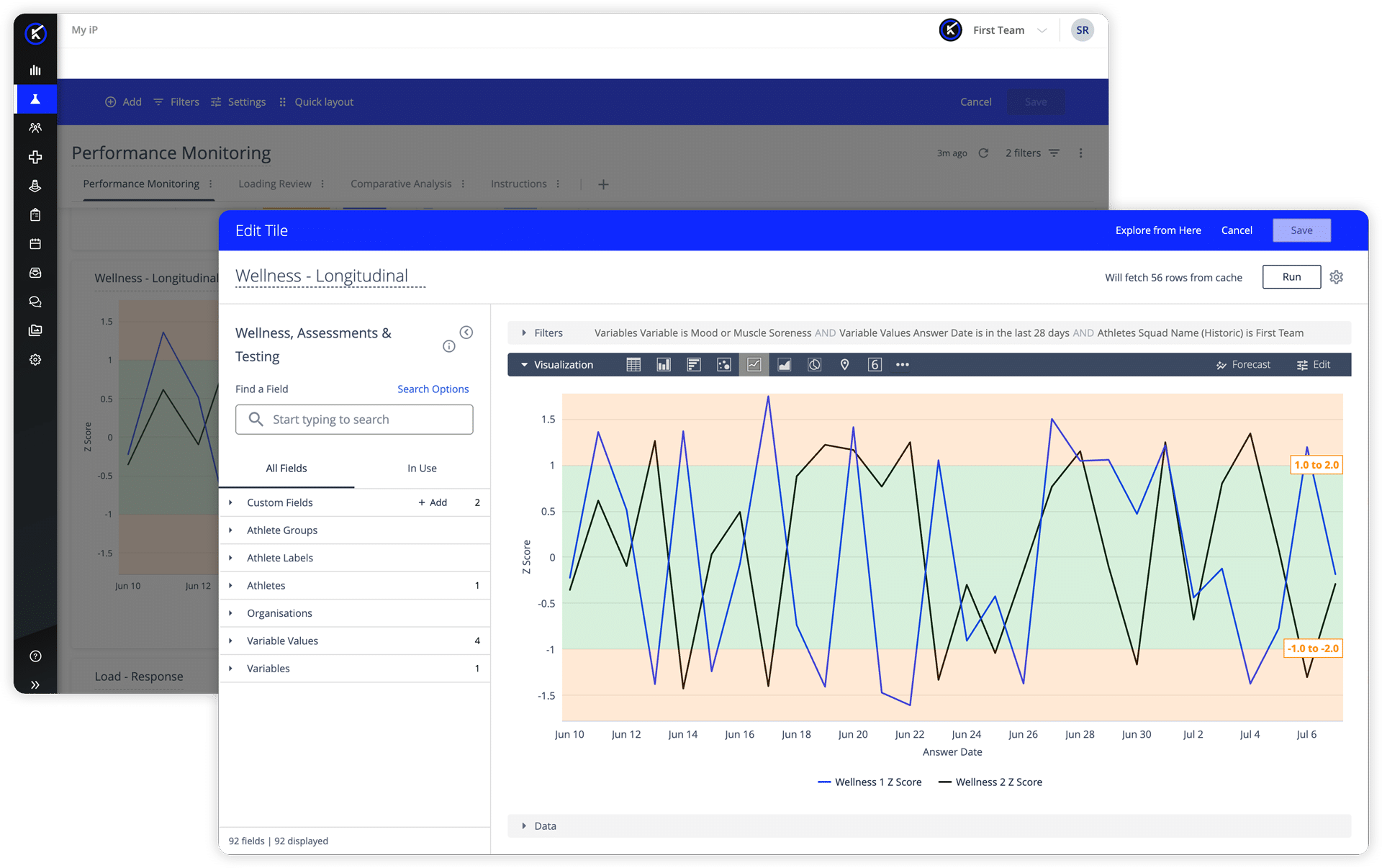
Because it can be adapted around each team’s data, metrics, thresholds, and reporting needs, the dashboard helps practitioners understand how athletes are responding to recent load and what deserves attention in the lead-up to training.
It is not a fixed report, and it is not a dashboard teams have to use exactly as provided. It is designed to reflect the signals, thresholds, and review habits that matter most to each organization.
What the Performance Monitoring Dashboard Helps You Understand
At its core, the dashboard helps practitioners answer a practical question:
How is the team responding to recent training load, and who may need a closer look today?
To support that, it brings together three connected areas of analysis.
PERFORMANCE MONITORING
Ahead of training, staff need to know whether the team is tracking within normal ranges or whether something warrants a closer look. Practitioners can assess where individuals sit relative to defined baselines and thresholds across wellness, recovery and load response, helping them spot changes that might otherwise go unnoticed until later in the day.
Longitudinal views add another layer of value, helping teams see whether a pattern is emerging, stabilizing, or resolving over time.
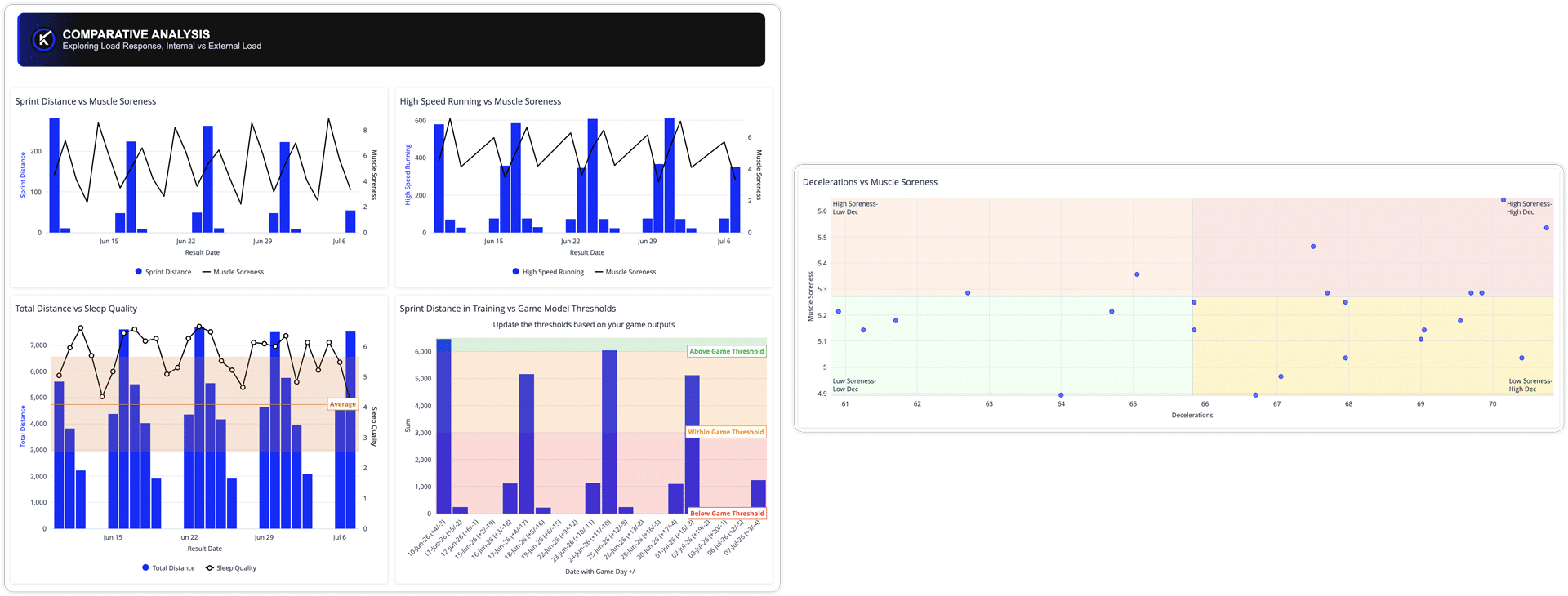
COMPARATIVE ANALYSIS
When something looks off, the next question is why.
By connecting today’s wellness and recovery picture to previous-day exposure, practitioners can better distinguish between expected responses and patterns that may need intervention. In practice, this shifts daily monitoring from a status check to a more informed starting point for interpretation.
LOAD REVIEW
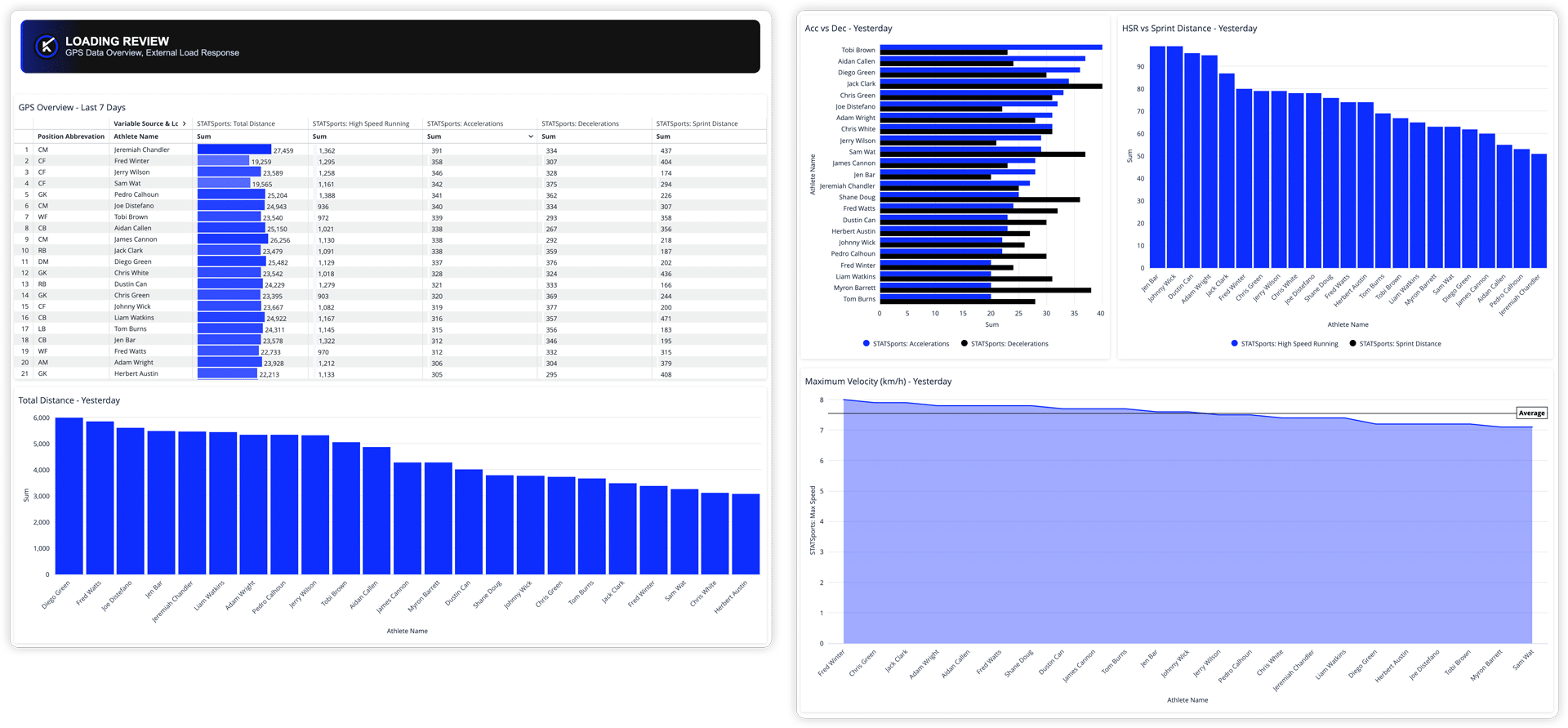
When an athlete needs closer attention, the detail is there without leaving the workflow.
Review previous-day GPS data in context, including accelerations, decelerations, high-speed running, sprint distance, and maximum velocity.
What This Looks Like in Practice
The dashboard supports a natural progression from team-level scan to athlete-level interpretation. That makes it useful across roles, even when each role is looking for something slightly different.
- Heads of Performance can start with a quick read on whether the team appears ready to train and immediately see whether anything stands out.
- Sports Scientists can identify athletes outside their normal range and explore whether recent loading may be influencing what they are seeing today.
- Rehab Coaches or Athletic Trainers can track how athletes returning from prescribed work are responding and whether closer monitoring or in-session adjustment may be warranted.
That shared view also helps performance staff respond to questions from coaches or leadership with more context. If a athlete appears less explosive, slower to recover, or different from their normal profile, staff can review the available readiness, recovery, and load data to support or challenge that observation.