Defining a coaching curriculum is one thing. Knowing whether it is being delivered consistently across every squad is another.
Across a season, coaches plan and deliver hundreds of sessions against technical, tactical, and physical priorities. Each session contributes to what athletes are learning and experiencing over time.
Seeing that across a full season is where it gets harder.
The Session & Curriculum Dashboard in My iP gives organizations a ready-made starting point for reviewing curriculum delivery. Once configured around the academy’s own curriculum, principles, and terminology, it brings coverage, session delivery, and game participation into one view.
Available to organizations with the Coaching & Development Solution enabled in iP: Intelligence Platform, it helps coaching staff see what has been delivered, compare squads and age groups, and adjust what comes next.
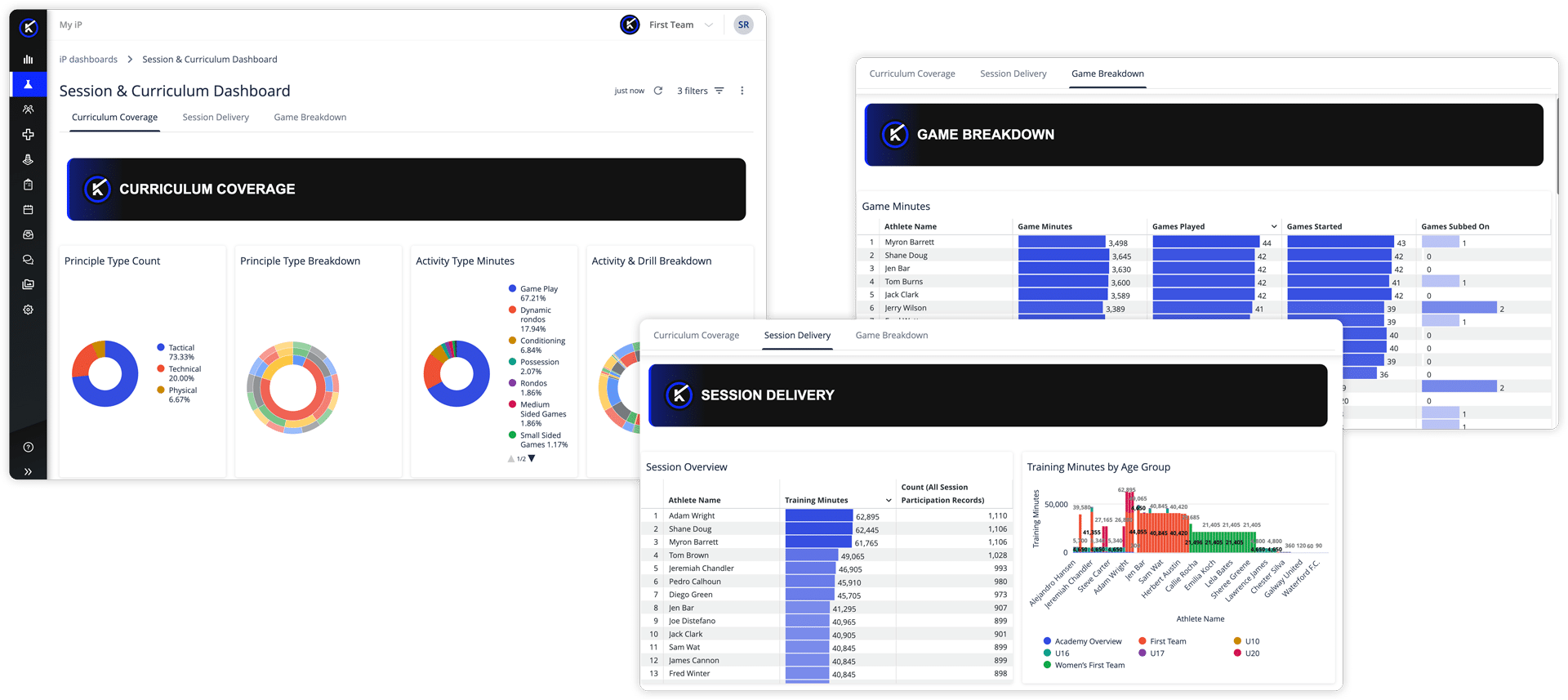
Why Reviewing Coaching Delivery Still Takes Too Much Time
The information exists. Getting to it usually means asking every squad for its own version of the answer.
That leaves a Head of Coaching comparing reports built in different ways, or waiting until the end of the season to find out that one age group spent too much time on attacking principles and not enough on defending ones.
The questions themselves are simple:
- Are athletes getting enough time across the technical, tactical, and physical curriculum?
- Which principles and activity types are getting the most and least attention?
- How much training time is going into each area, and does that reflect our priorities?
- Is the same coaching model being delivered consistently across age groups?
Answering those questions should not require a separate report from every squad.
A Self-Service Reporting Experience Built for Curriculum Review
This is the first My iP dashboard template built for the Coaching & Development Solution in iP: Intelligence Platform, giving coaches more detail on what has been delivered.
Previously, reporting focused on high-level principles, drills, and activity types. Coaches can now report on the individual components within each drill and see the principles connected to them.
That means coaches can answer more useful questions. Not just how many sessions of a certain activity type a squad ran, but which principles those sessions were designed to develop and how much time was spent on each one.
What the Session & Curriculum Dashboard Helps You Understand
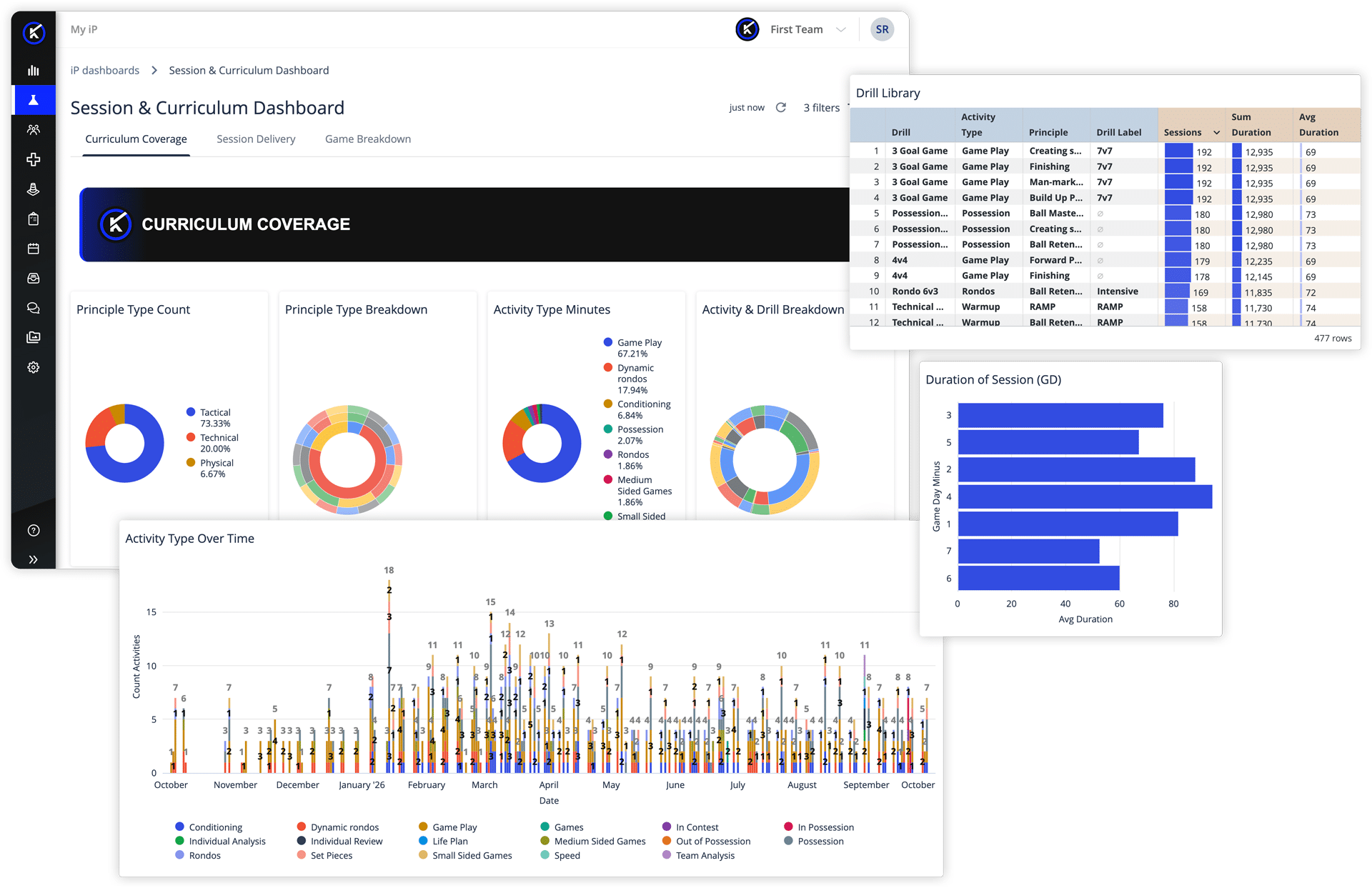
CURRICULUM COVERAGE
Curriculum Coverage shows the principles, activity types, and drills athletes have worked through across the season. Filter by squad, time period, or individual athlete to see what has been covered and where gaps may be starting to appear.
A gap found during the season is something you can still address. A gap found at the end of the season is one you can only look back on.
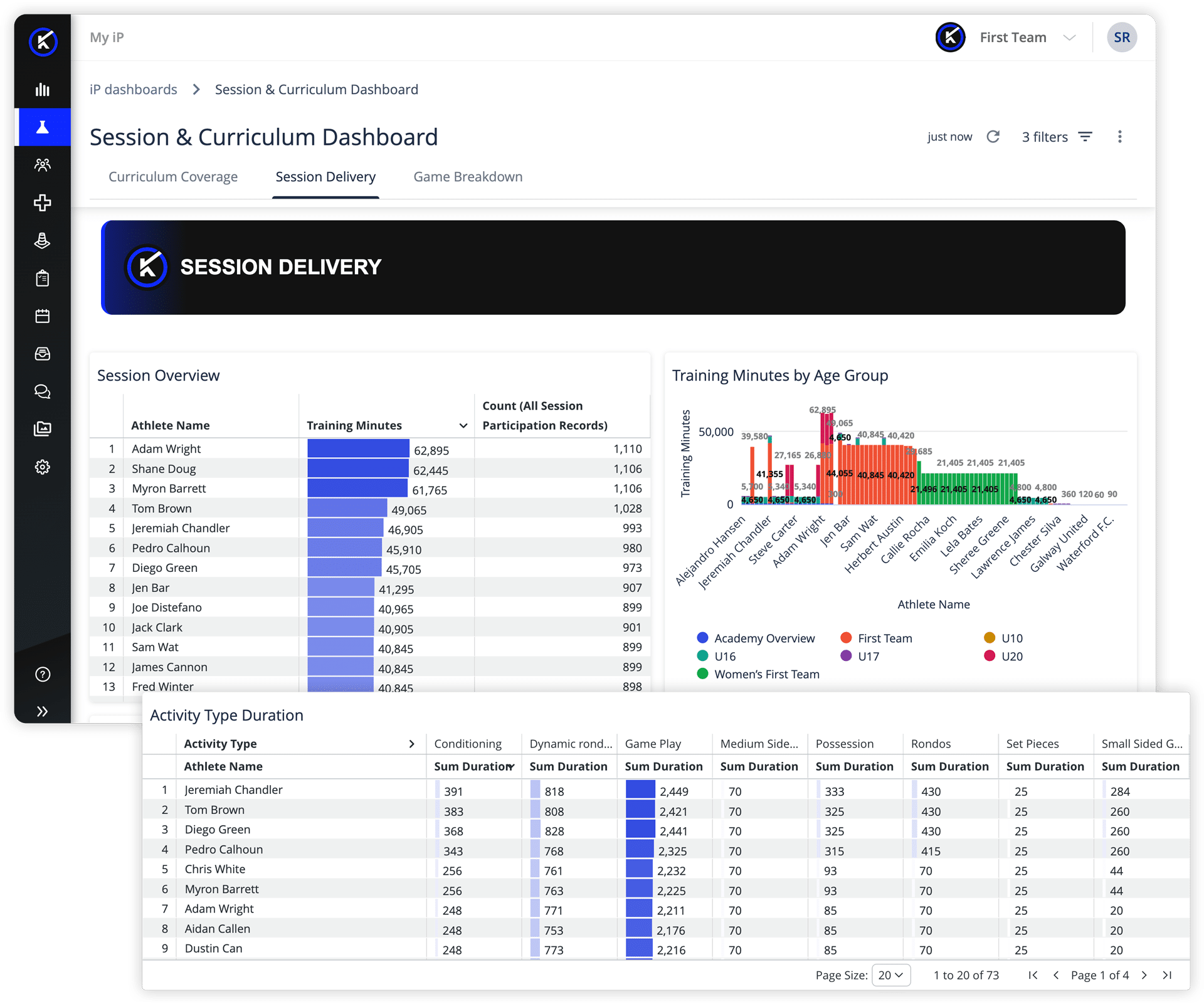
SESSION DELIVERY
Session Delivery shows how training time has been used over time, by squad and activity type, down to the individual components within each drill.
A coach can see how much time went into each area of the curriculum and whether that reflects the priorities the academy set.
If an area has received less attention than intended, coaches can adjust upcoming sessions while there is still time to address it.
GAME BREAKDOWN
Game Breakdown shows game minutes at squad and individual level, broken down by position, alongside scoring output. Session Delivery and Game Breakdown use the same filters, so coaches can review the same squad, time period, and athlete across both views.
What did we train during this period, and what did those athletes do in games over the same period?
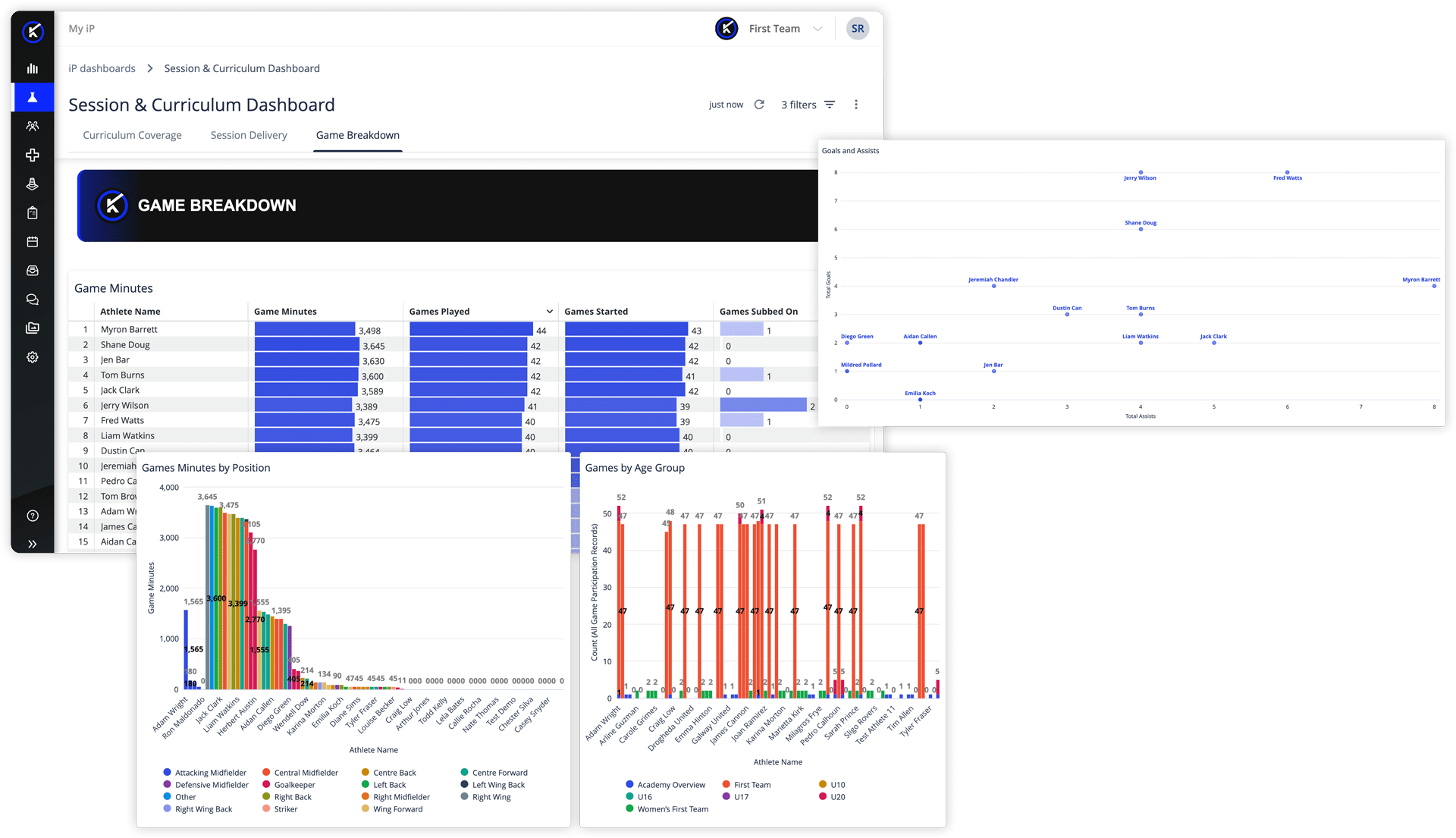
The coach still decides what that information means. The dashboard simply makes it easier to review training and game information together without building two separate reports.
A Shared Template That Works From Your Curriculum
Every academy has its own coaching approach, terminology, and reporting needs, so one fixed report will not work for everyone.
Creator Mode users can copy and adapt the template to their academy’s curriculum, principles, and terminology, then share it with the coaches and academy leaders who need it.
Starting from a pre-built template means teams do not have to build session and curriculum reporting from scratch, while still keeping one consistent structure across the academy.
What This Looks Like in Practice
For an Academy Manager or Technical Director, it gives one view across every squad and age group, making it easier to compare how the curriculum is being delivered across the academy.
For a Head of Coaching, it shows whether the coaching priorities set at the start of the season are still being delivered months later, so gaps can be discussed and addressed while there is still time to act.
For a Player Development Coach, it provides a clear record of a specific block of work, showing what was covered, how much time was spent on it, and which athletes took part.
Supporting Better Coaching Decisions, Week to Week
The Session & Curriculum Dashboard supports coaching decisions. It does not judge the quality of a session or rank one coach against another. It makes what was delivered easier to see, understand, and discuss.
That depends on sessions being logged consistently. If sessions are not tagged against the curriculum, the dashboard may show a gap that does not reflect what was actually delivered.
Make Curriculum Delivery Easier to See
The curriculum you set, the training you deliver, and the decisions you make next should not sit in three separate places. The Session & Curriculum Dashboard brings them into one view, helping coaching staff spot gaps and adjust upcoming sessions while there is still time to act.
Curriculum delivery is one part of a wider development picture. For how it sits alongside individual development plans, assessments, and pathway reporting, see our guide to athlete development software.
Contact us to see how the Session & Curriculum Dashboard in My iP can be configured around your curriculum and coaching model.