Within Performance Management Dashboards in My iP, the Individual view helps practitioners build a complete picture of a player’s workload across both training and competition.
By bringing together session data, match output, microcycle structure, and longitudinal trends in one place, it gives staff a complete view of how load is building for each athlete across training and competition.
Build a Complete Picture of Player Exposure
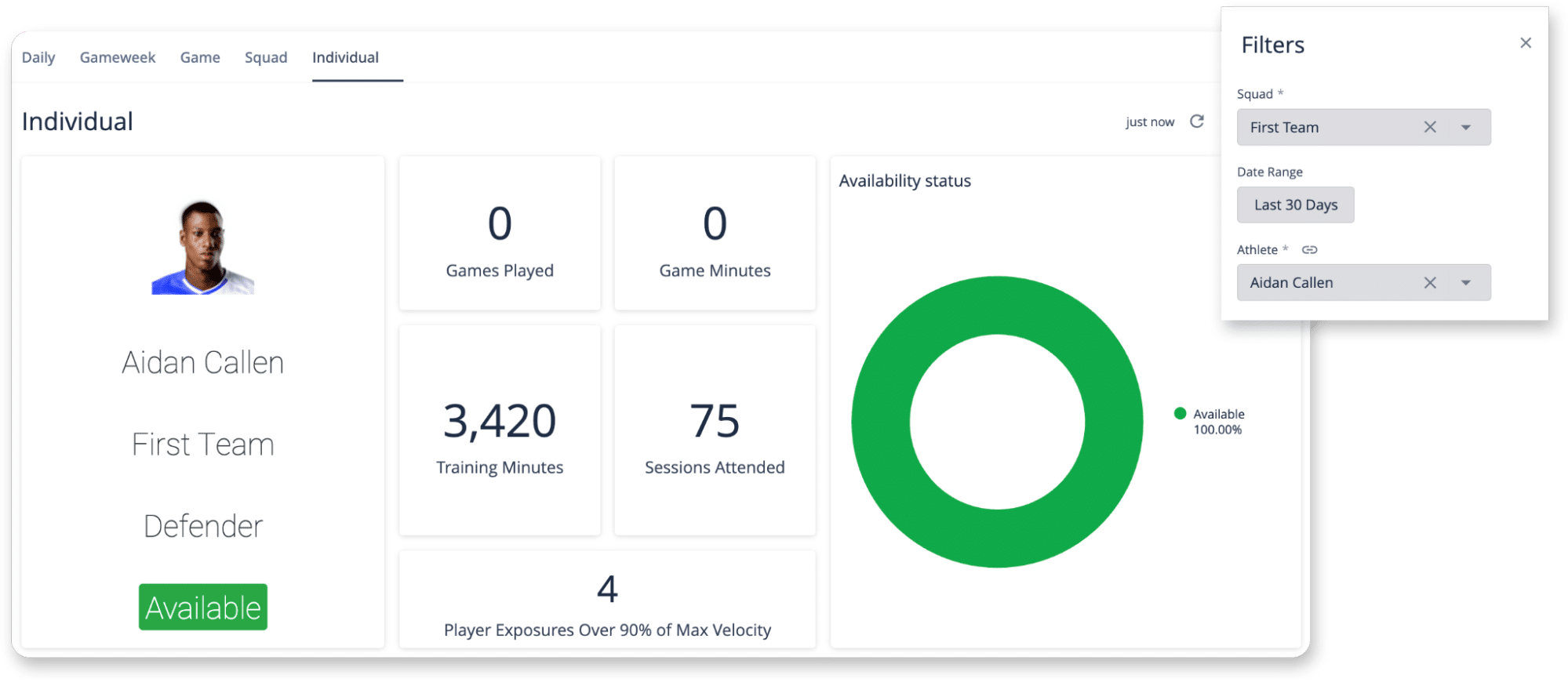
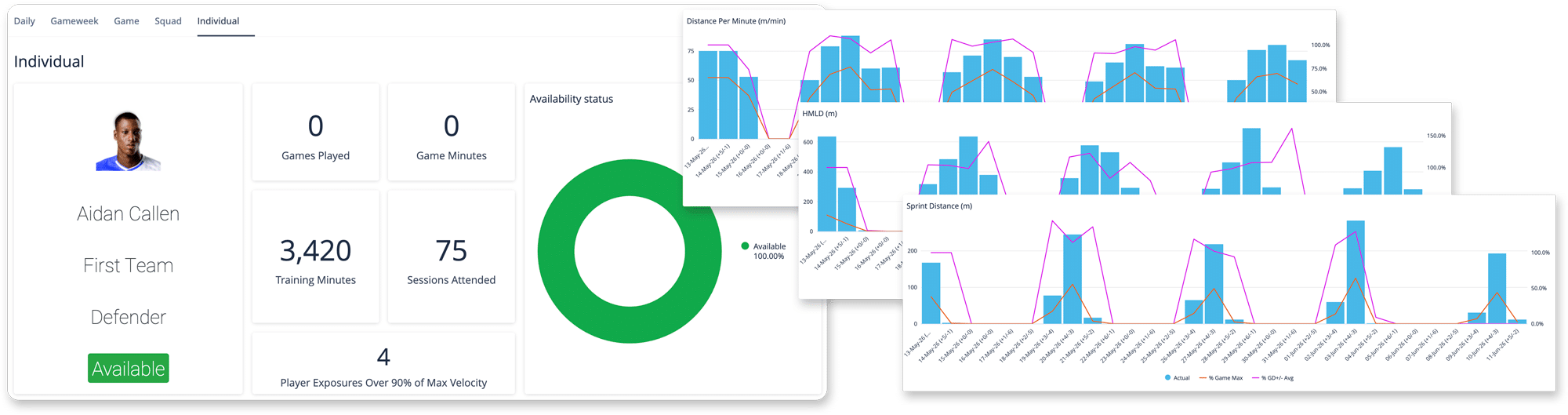
The Individual view provides a clear starting point for understanding availability and exposure.
By combining training minutes, game minutes, sessions attended, and games played, practitioners can quickly assess how much work a player has completed over a selected period. This provides a clearer view of both performance and exposure across the selected period.
Track Daily Load Against Match Demands and Microcycle Structure
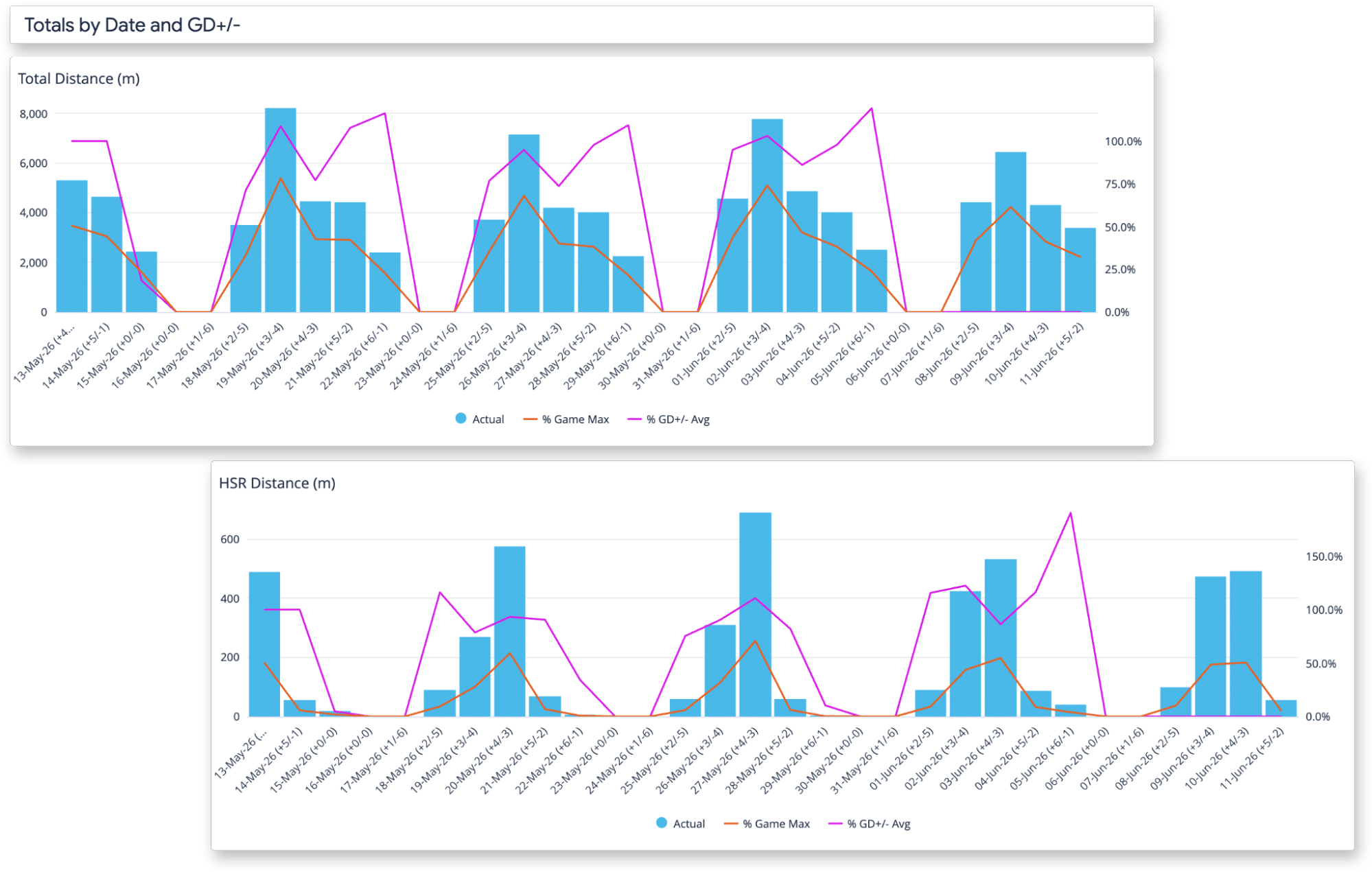
The Individual view makes it easier to understand how a player’s load is evolving day by day.
By mapping daily output over time and comparing it to both match demands (% Game Max) and typical load for each Game Day (+/-), practitioners can quickly identify where a player’s output differs from expectation. A session that falls below or exceeds what is typical for that point in the microcycle becomes immediately visible.
This removes the need to track trends manually and makes changes in workload easier to identify.
See What Drove the Weekly Load
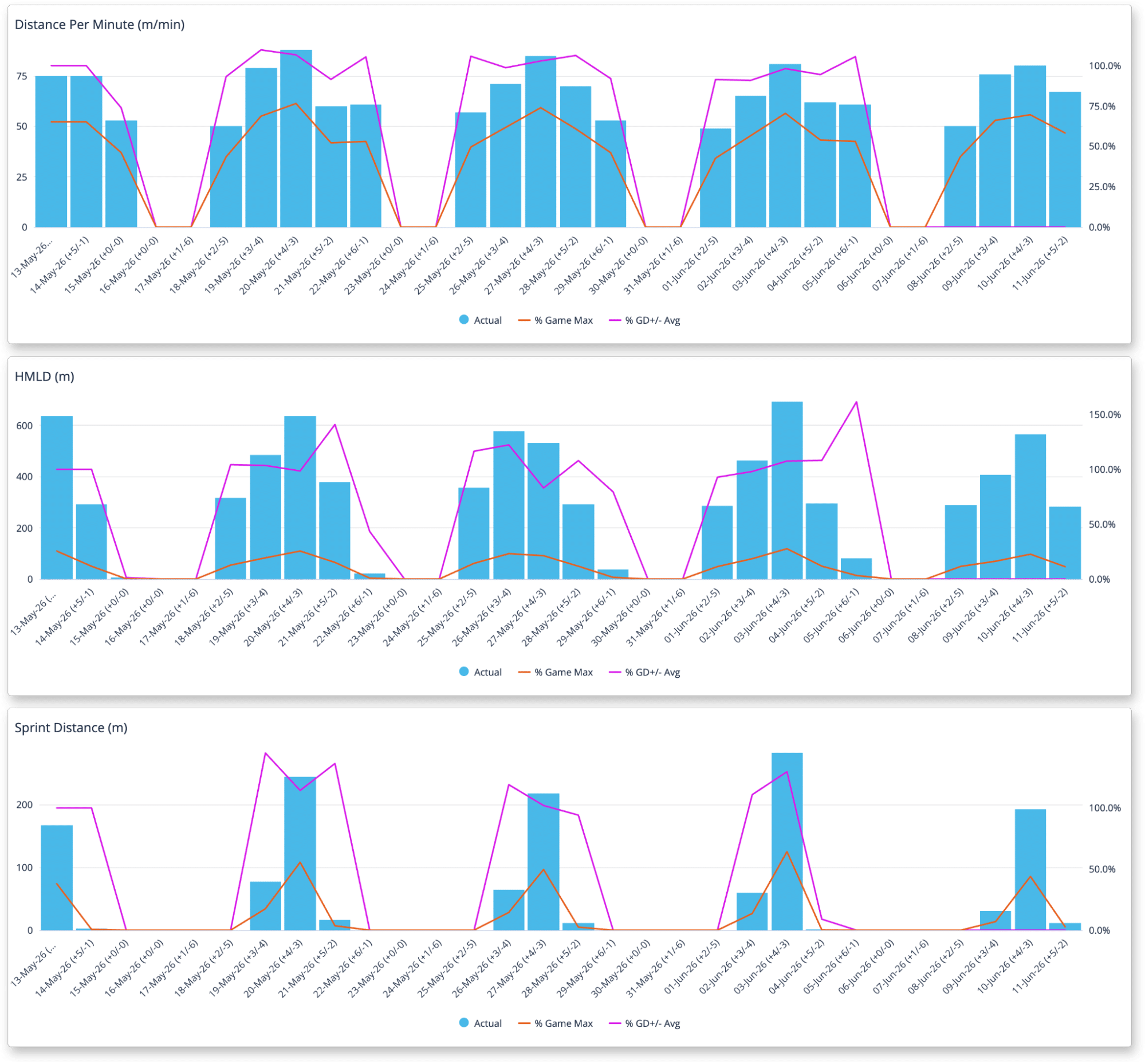
The Individual view also shows a session-by-session breakdown of a player’s workload, making it easier to understand which sessions contributed most to the overall load pattern.
Practitioners can identify heavier sessions, lighter days, and how workload was distributed across the week. This helps staff connect total load back to specific training days and understand how workload was built over time.
Support Player-Level Decision-Making
The Individual view brings together all the information needed to support player management decisions.
It combines session data, match demands, microcycle structure, and long-term trends in one place, making it easier to review a player’s workload profile in a clear and structured way. This is especially useful for player reviews, return to play planning, or any situation where decisions need to be supported by a complete and accurate picture of workload.
Share a Clear View Across Staff
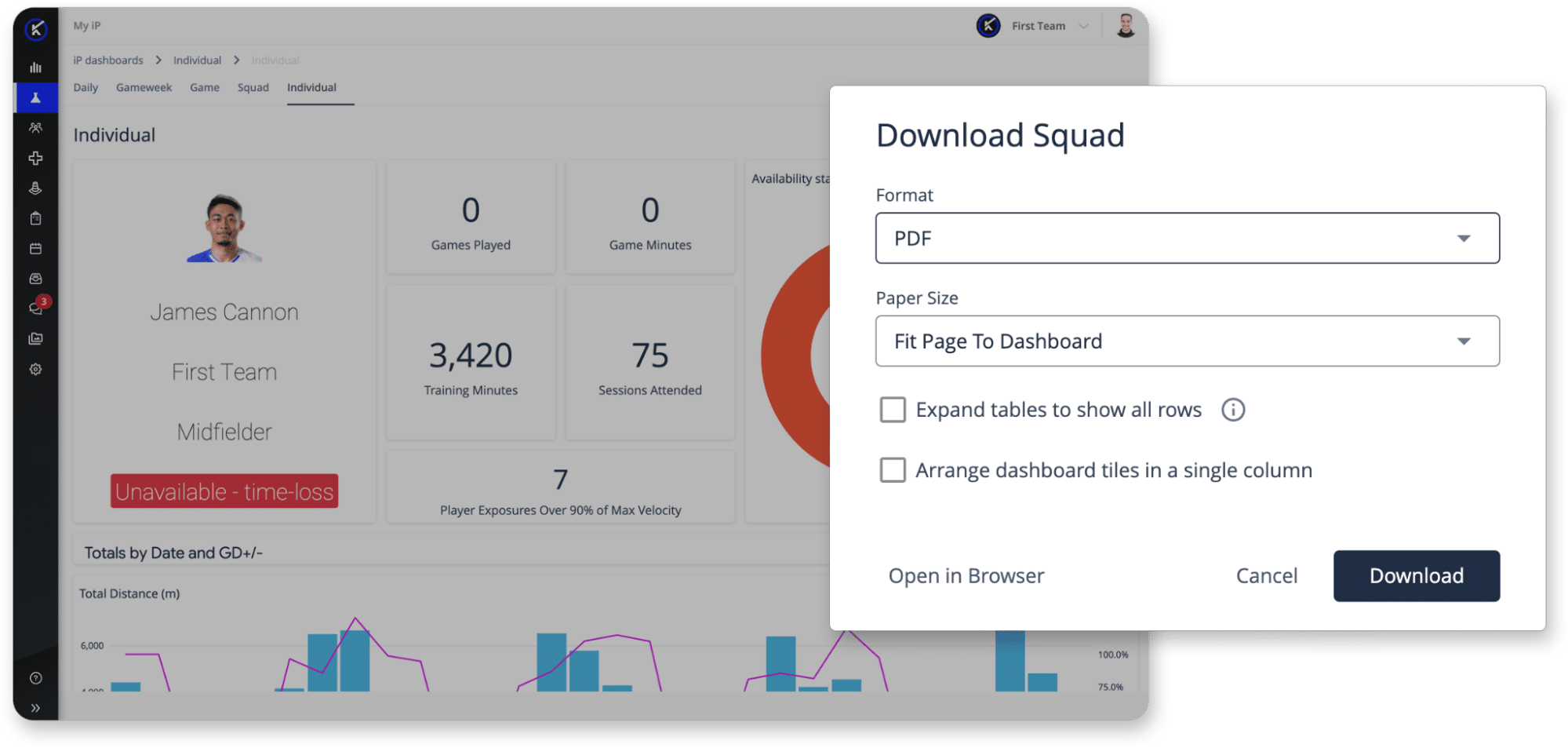
The Individual view also supports communication across teams.
By exporting or printing the view, practitioners can share the same information with coaches, medical staff, or other stakeholders who are not working directly in the platform. This creates a shared reference point, making it easier to align on decisions related to player management.
From Player Data to Better Decisions
The Individual view helps performance teams move from reviewing data to making informed decisions at the player level.
It provides a clear, structured view of how load is building over time, highlights where a player is diverging from expectation, and supports more consistent, evidence-based decision-making across staff.
See Individual Analysis in Action
This short walkthrough shows how the Individual view helps teams track player workload over time, compare daily output to match demands, and support player-level decision-making with a complete view of each athlete.