Effective workload management doesn’t happen in isolation.
It unfolds across the microcycle—session by session, player by player—often shaped by competition demands, modified participation, and evolving training intent.
Without a clear view of how load accumulates at both the squad and individual levels, performance teams risk discovering imbalances too late—after overload, under-exposure, or availability issues have already emerged.
The Challenge
Historically, comparing squad-level and individual workload trajectories has been difficult without rebuilding reports or exporting data.
Common challenges include:
- Static reports that lock users into a single view
- Difficulty moving from squad trends to individual detail
- Manual comparisons across sessions, drills, and games or competition days
- Limited ability to filter by position group or participation context
As a result, performance teams often rely on post-hoc review or intuition to identify imbalances—reducing confidence in planning and adjustment.
What We Hear From Performance Teams
Performance staff consistently tell us:
- “We can see squad averages, but it’s hard to understand what’s happening at the individual level without rebuilding reports.”
- “Some players accumulate load very differently across the week—even when sessions are the same.”
- “By the time we spot an issue, it’s already happened.”
Teams recognize that cumulative load—not just single-session peaks—is what shapes readiness, fatigue, and availability over time. What they need is visibility that evolves with the week—without prescribing ‘ideal’ load profiles.
What You Can Do with Performance Management Dashboards in My iP
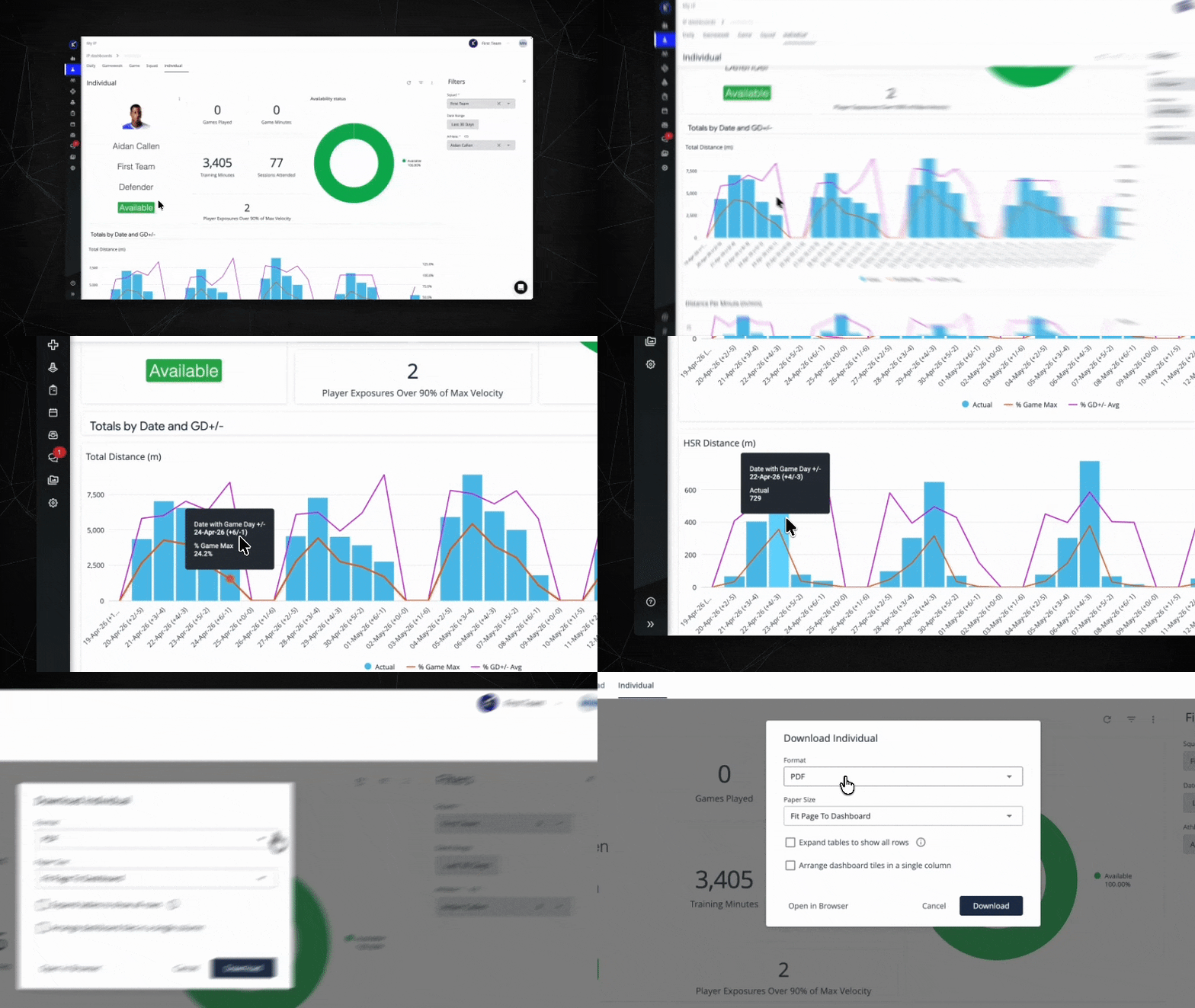
My iP surfaces cumulative squad and individual workload insight using structured session and game data from the Performance Optimization Solution in iP—so teams can track exposure patterns across the microcycle without rebuilding reports.
Monitor Cumulative Load at the Squad Level
Using the Performance Management Dashboard, performance staff can start with a squad-wide view to understand how workload is accumulating across the training week.
Key metrics such as:
- Total Distance
- High-Speed Running
- Sprint Distance
- Accelerations and Decelerations
- High Metabolic Load Distance
- RPE data to add session-level context
These metrics can be reviewed cumulatively to understand exposure patterns—rather than to enforce uniform targets across the squad.
This provides a clear baseline before moving into individual detail.
Identify Outliers and Emerging Patterns
From the same dashboard, teams can filter and group data to:
- Compare workload across position groups
- Identify players consistently above or below typical exposure ranges
- Surface divergence from squad trends early
Rather than relying on fixed thresholds, staff can interpret load in context—considering session structure, participation level, and training intent.
This allows small imbalances to be addressed before they compound across the week.
Move Seamlessly from Squad Trends to Individual Profiles
When deeper investigation is needed, performance staff can drag directly from squad-level views into individual athlete profiles—without rebuilding reports.
From there, teams can:
- Review cumulative load across sessions and drills
- Compare individual trajectories against squad or position reference points
- Understand how specific sessions contributed to overall exposure
This continuity removes friction from analysis and keeps attention on decision-making—not report creation.
Support Weekly Planning and Periodisation Conversations
With shared, visual context across squad and individual views, performance teams can:
- Adjust upcoming sessions to rebalance exposure
- Modify individual workloads without disrupting squad objectives
- Communicate clearly with coaches using evidence grounded in training structure
- Share clear dashboard outputs (PDF or print) to align coaches and leadership without requiring additional logins
The Outcome: Proactive Load Management Across the Week
When cumulative workload is visible and contextualized, performance teams can:
- Align squad-level programming with individual needs
- Plan load distribution more effectively across sessions and blocks
- Reduce the risk of unintended overload or under-exposure
- Act early, rather than reacting after issues have already emerged
Workload management becomes proactive, structured, and adaptable—without adding reporting overhead.