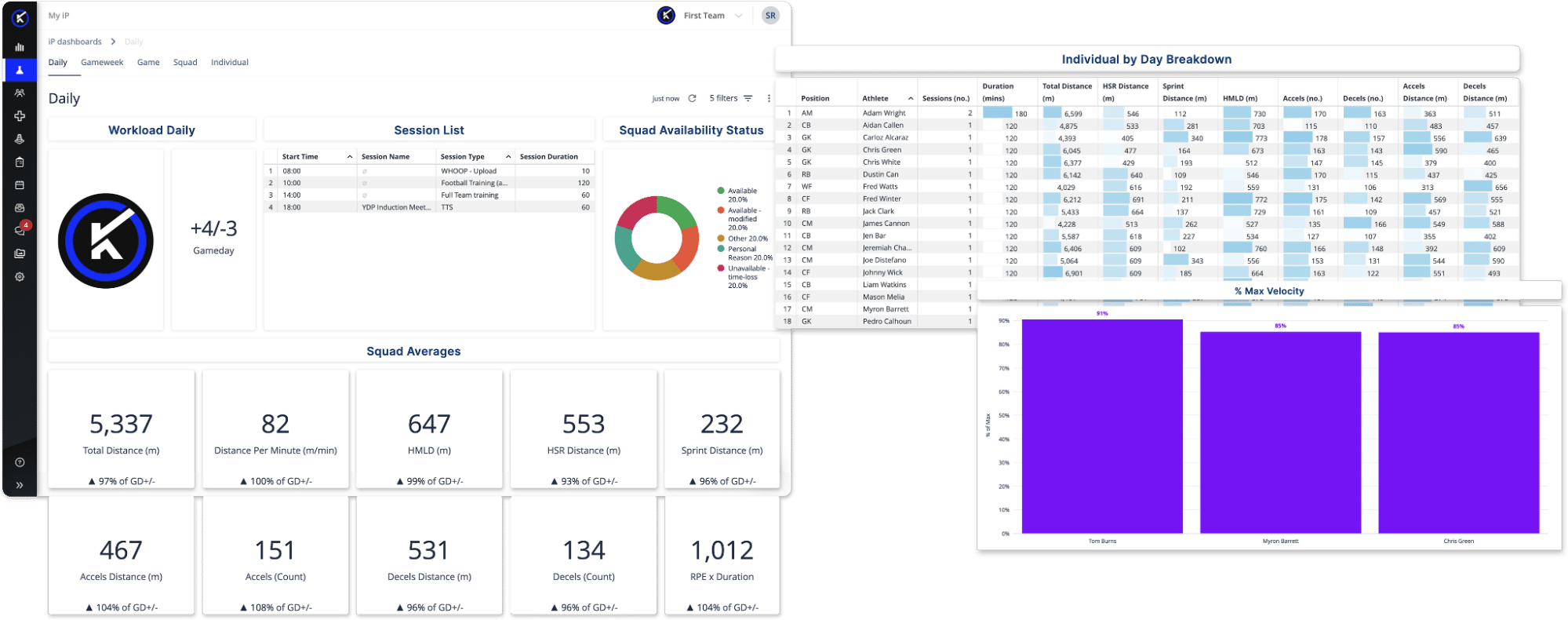
Within Performance Management Dashboards in My iP, the Daily view helps practitioners review the most recent session quickly and with the right reference points.
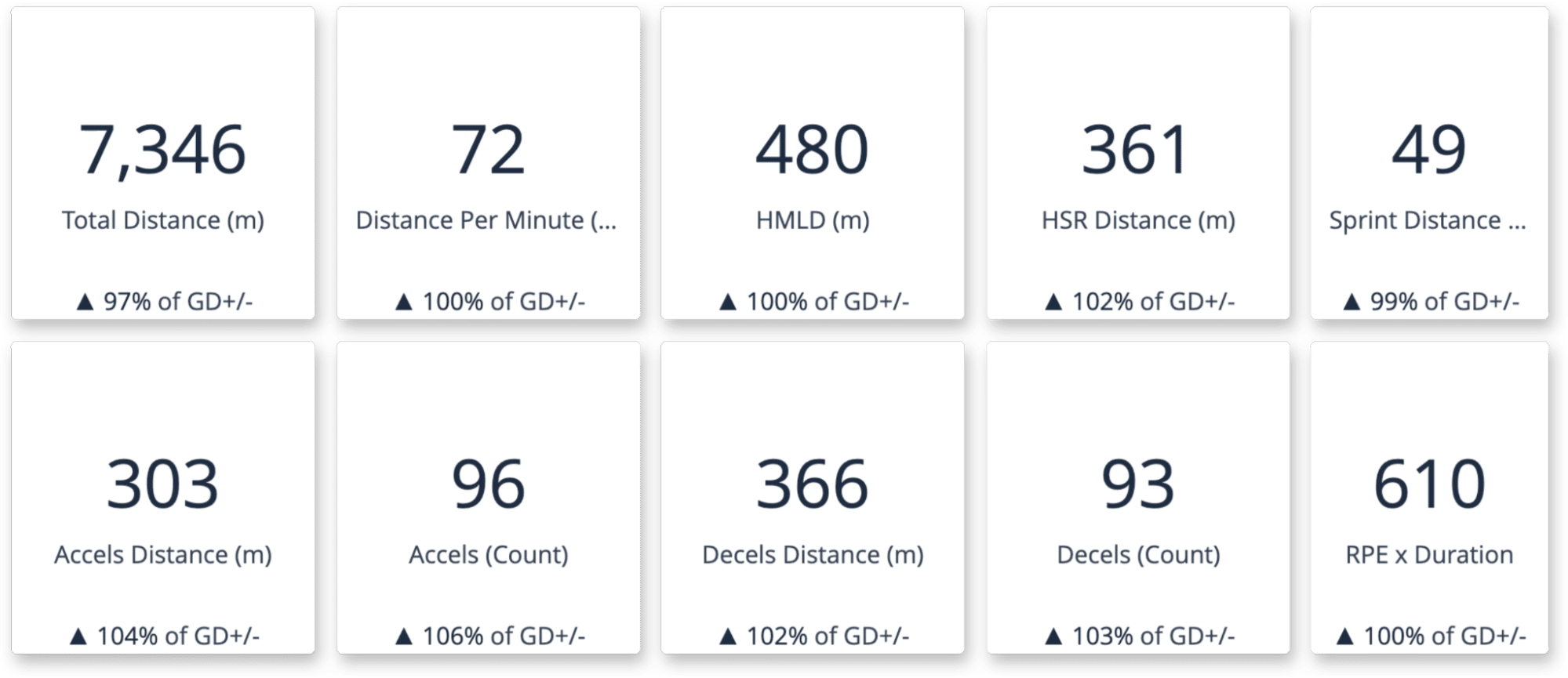
It brings together Game Day (+/-), squad averages, individual session output, drill contribution, and intensity relative to match demands, giving staff a clear view of what the session actually delivered and where attention may be needed.
This creates a clear starting point for daily review—without exporting reports or rebuilding views.
Review the Session at a Glance
The Daily view is built for the questions that come up first:
- What did the squad actually do on a given training day?
- Where did the highest demands occur?
- Did the session deliver the intended stimulus for that day in the microcycle?
By combining Game Day (+/-) with squad-level session summaries, the Daily view helps practitioners move quickly from raw output to useful interpretation. It supports the kind of day-level review performance staff use to understand how training is supporting preparation between matches.
Move Quickly from Squad Trends to Individual Detail
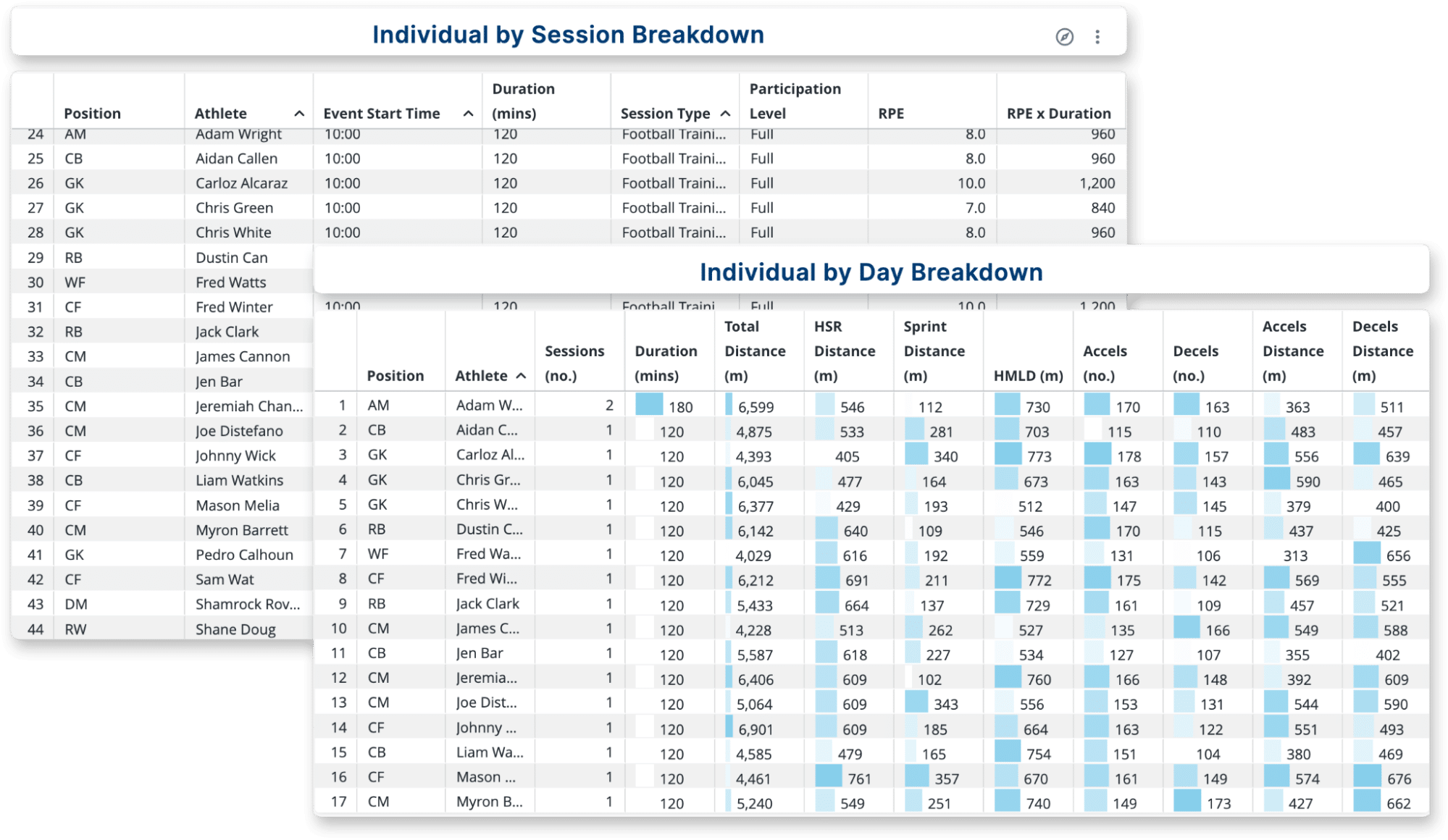
The Daily view makes it easier to move from broad session review into targeted follow-up.
With a full player-by-player breakdown of session output, practitioners can review position, session count, duration, and key physical metrics across the squad, then sort or filter to identify who was high, who was low, and who looks different from expectation. Conditional formatting helps outliers stand out without forcing staff to scan rows of numbers manually.
Understand Where Load Actually Came From
One of the strongest parts of the Daily view is the drill-level breakdown.
Session totals alone rarely tell the full story. Two sessions can produce similar overall load while delivering very different training stimuli depending on how that load was distributed across drills. By breaking sessions down by drill name, drill type, and participation, the Daily view helps staff see which parts of training were responsible for the load and use that insight to support more grounded conversations with coaching staff.
This connects training design to the stimulus the session actually delivered.
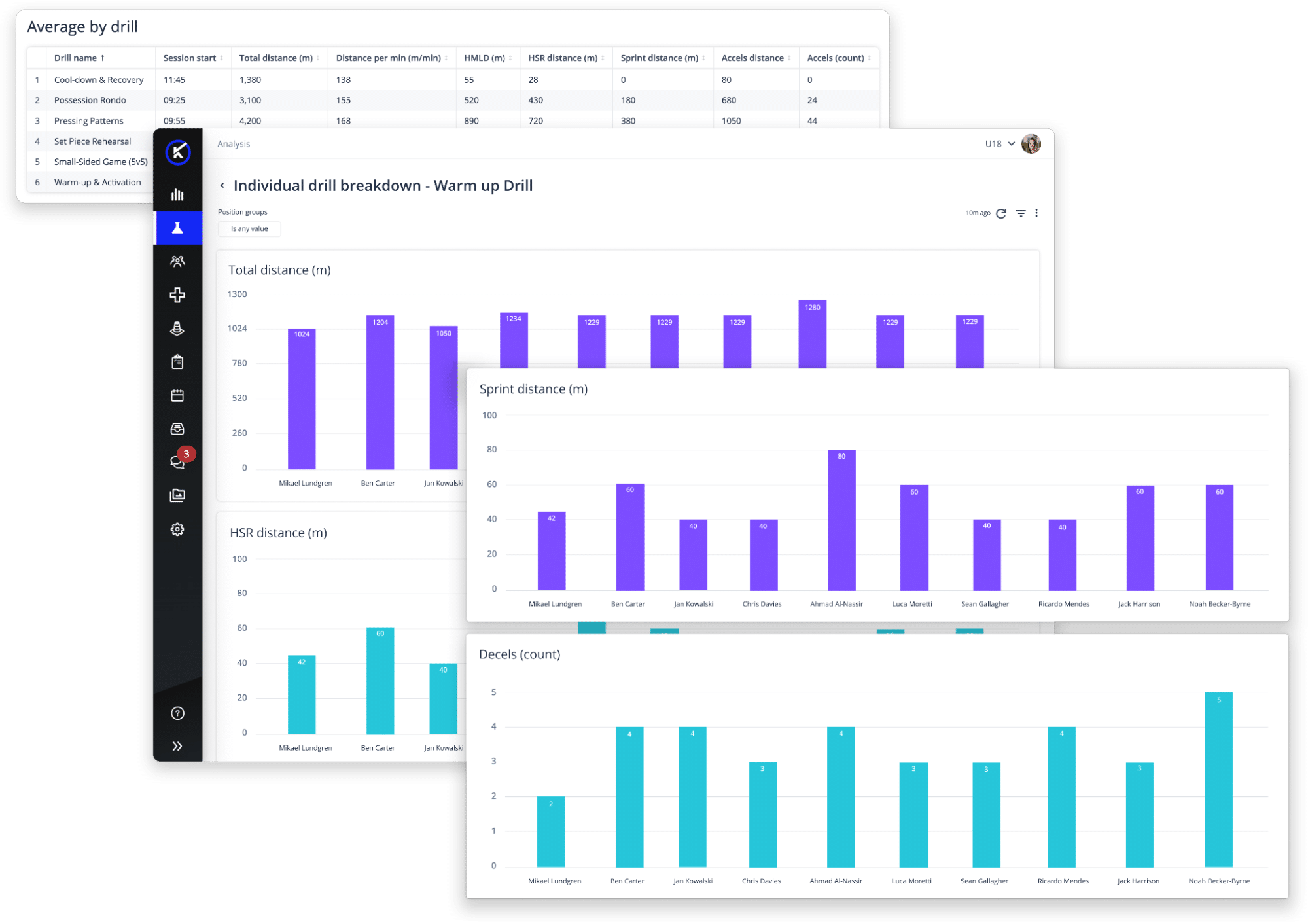
For a deeper look at this workflow: Drill-Level Workload Breakdown
Compare Training to Match Demands Without Extra Work
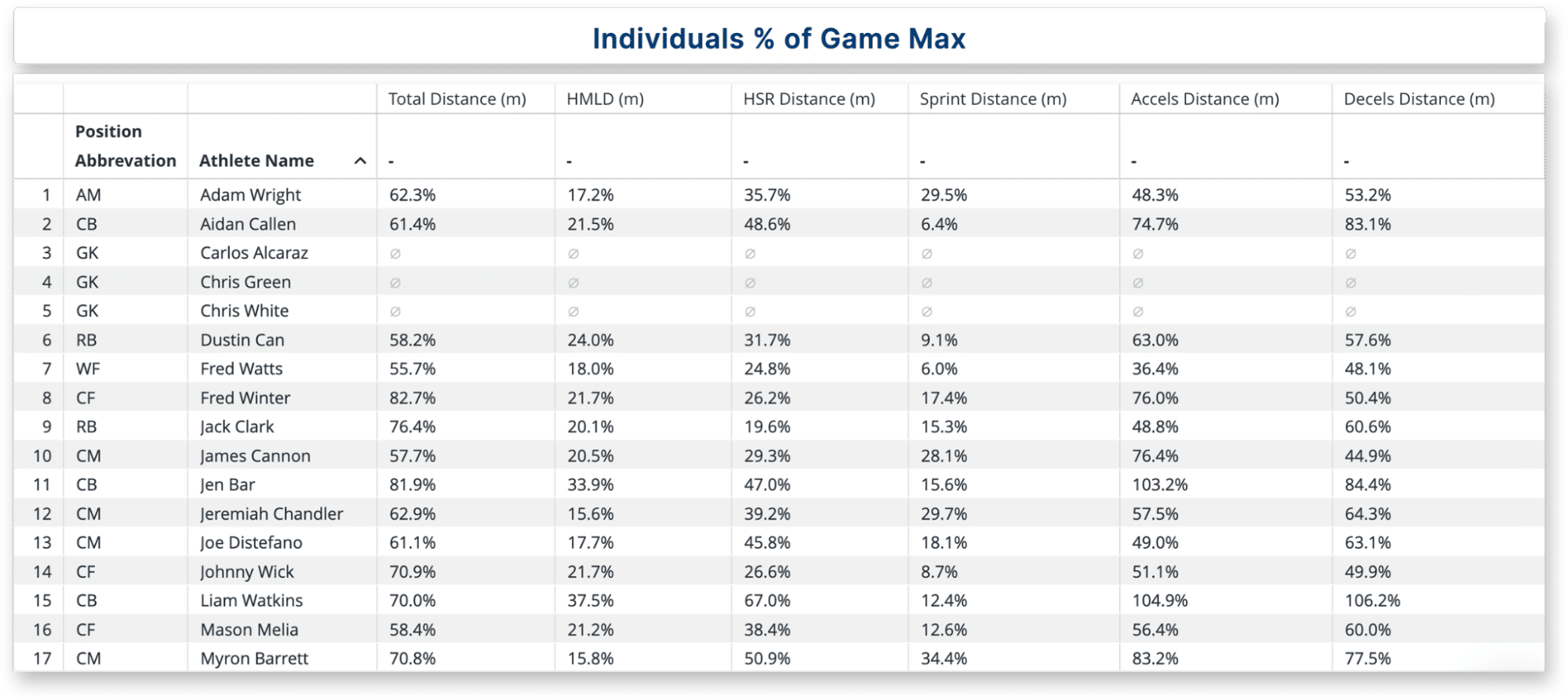
The Daily view also shows intensity relative to game demands through % Game Max.
That means practitioners do not need to manually compare training output to match history. If a player reached a high percentage of their game-level High-Speed Running or another key metric in training, that comparison is already visible in the view. This helps staff quickly understand how intense the session was relative to match demands.
For a related workflow: Training Load in Game Context
Monitor High-Speed Exposure More Easily
The Daily view also helps staff review high-speed exposure through % of Max Velocity.
On higher intensity days, this gives practitioners a faster way to see which players reached high percentages of their individual maximum velocity without having to run separate calculations. That visibility helps identify who may need closer review and supports more informed conversations around training exposure.
From Morning Review to Better Decisions
The Daily view is built to make session review faster, clearer, and more useful.
It brings session output, drill contribution, and intensity relative to match demands into one place, helping practitioners review what happened, spot anything unexpected, and prepare for the conversations that follow. It does not replace practitioner judgment. It supports it with clearer visibility and less reporting friction.
See Daily Analysis in Action
This short walkthrough shows how the Daily view brings session review, drill-level workload, and match-demand comparisons together—so practitioners can start the day with a clearer understanding of what the session delivered.