Medical teams need more than a list of current cases.
Before decisions can be made, staff need a clear understanding of who is available, what has changed recently, and whether current medical activity is affecting team availability or planning. That daily or regular readout becomes harder when injury and illness details, availability status, time-loss, and medical trends have to be reviewed across disconnected reports or rebuilt manually for different audiences.
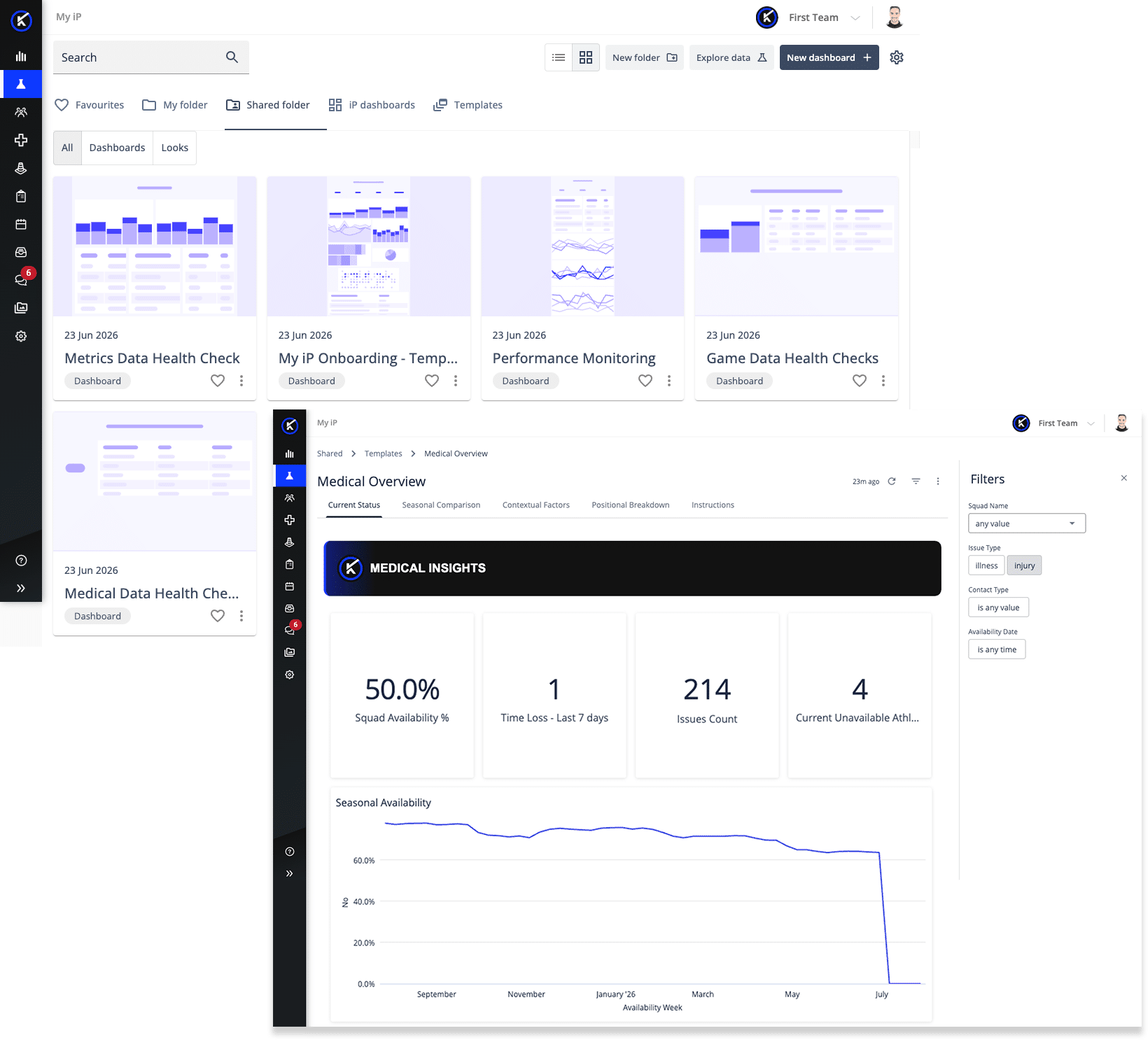
The Medical Overview Dashboard in My iP is designed to support that workflow.
Available to organizations with the Performance Medicine Solution enabled in iP: Intelligence Platform, it gives medical teams a standardized self-service reporting view of current medical status, availability, injury/illness activity, and medical trends.
It helps staff move from scattered medical information to a clearer overview of current medical status, team alignment, and planning priorities.
Why Medical Teams Need More Than a Case List
A current injury list is useful, but it rarely gives medical teams the full picture.
Staff need to understand who is unavailable, how much time-loss has occurred recently, whether availability is improving or declining, which injuries and illnesses are currently open, and how recent cases compare with wider seasonal trends.
Without a clear medical overview, teams can run into familiar challenges:
- Availability status is reviewed separately from injury and illness activity
- Recent time-loss is difficult to connect to current medical priorities
- Current cases may be hard to interpret without recent and seasonal trend visibility
- Medical updates take longer to prepare for staff meetings, leadership conversations, or planning discussions
- Teams may lack a consistent readout of what needs attention now
The result is more time spent assembling the medical picture and less time using it to support the next conversation.
A Self-Service Reporting View Built for Medical Review
The Medical Overview Dashboard is part of the self-service reporting experience in My iP. It gives teams a ready-to-use starting point for medical review, with the flexibility to copy and personalize the shared template around their workflow, reporting needs, and review priorities.
It brings current medical status, availability, injury and illness activity with supporting injury context, time-loss, season-over-season comparisons, and trend views into one place, helping medical teams prepare for regular check-ins, staff alignment, and leadership reporting with less manual effort.
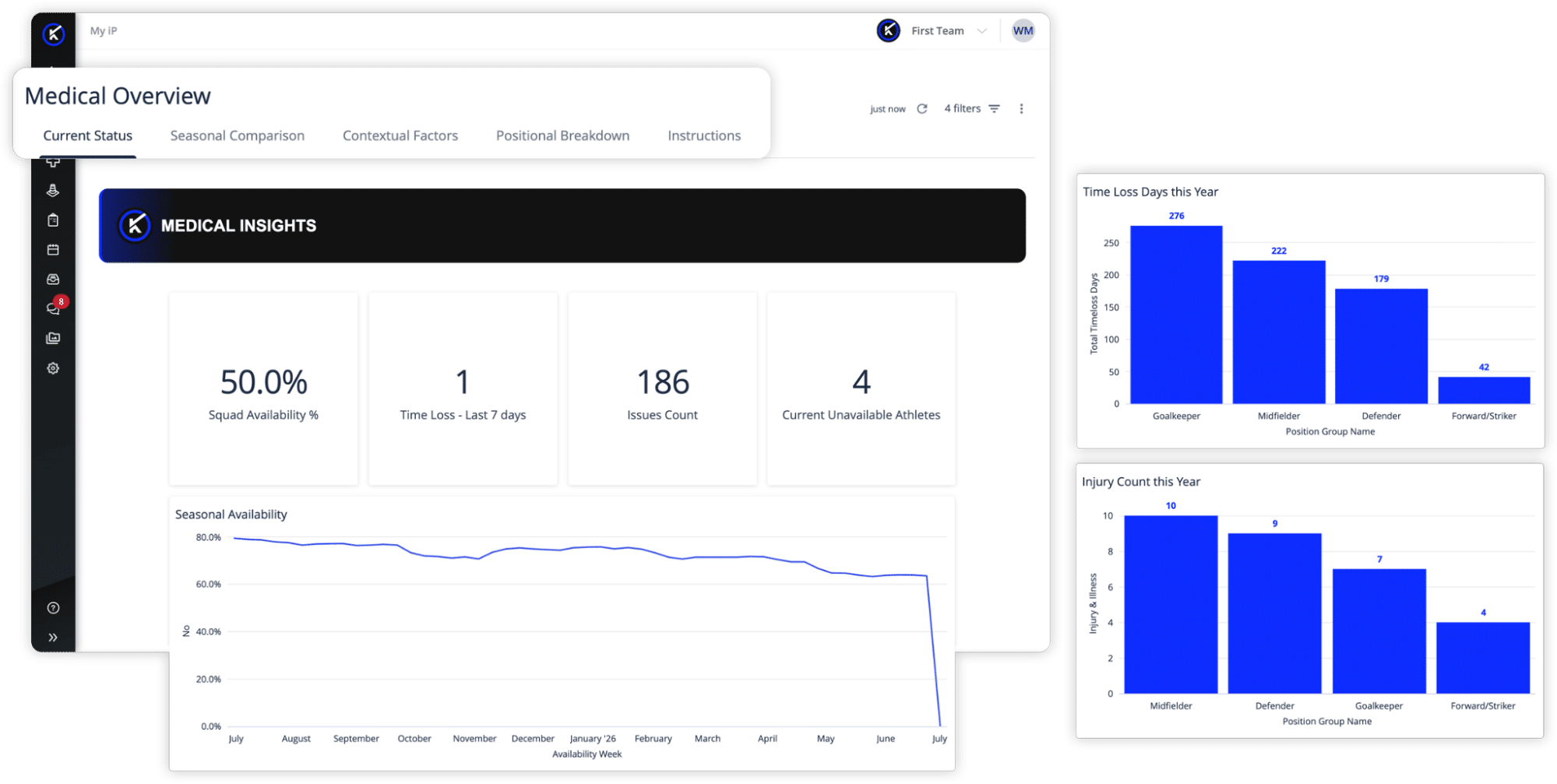
This makes it more than a static medical report. It is a connected overview teams can return to regularly, personalize around their needs, and use to support clearer conversations about availability, medical activity, and team health.
What the Medical Overview Dashboard Helps You Understand
At its core, the dashboard helps medical teams answer a practical question:
What does the team’s medical picture look like right now, and what needs attention next?
To support that, it brings together several connected areas of review.
MEDICAL STATUS OVERVIEW
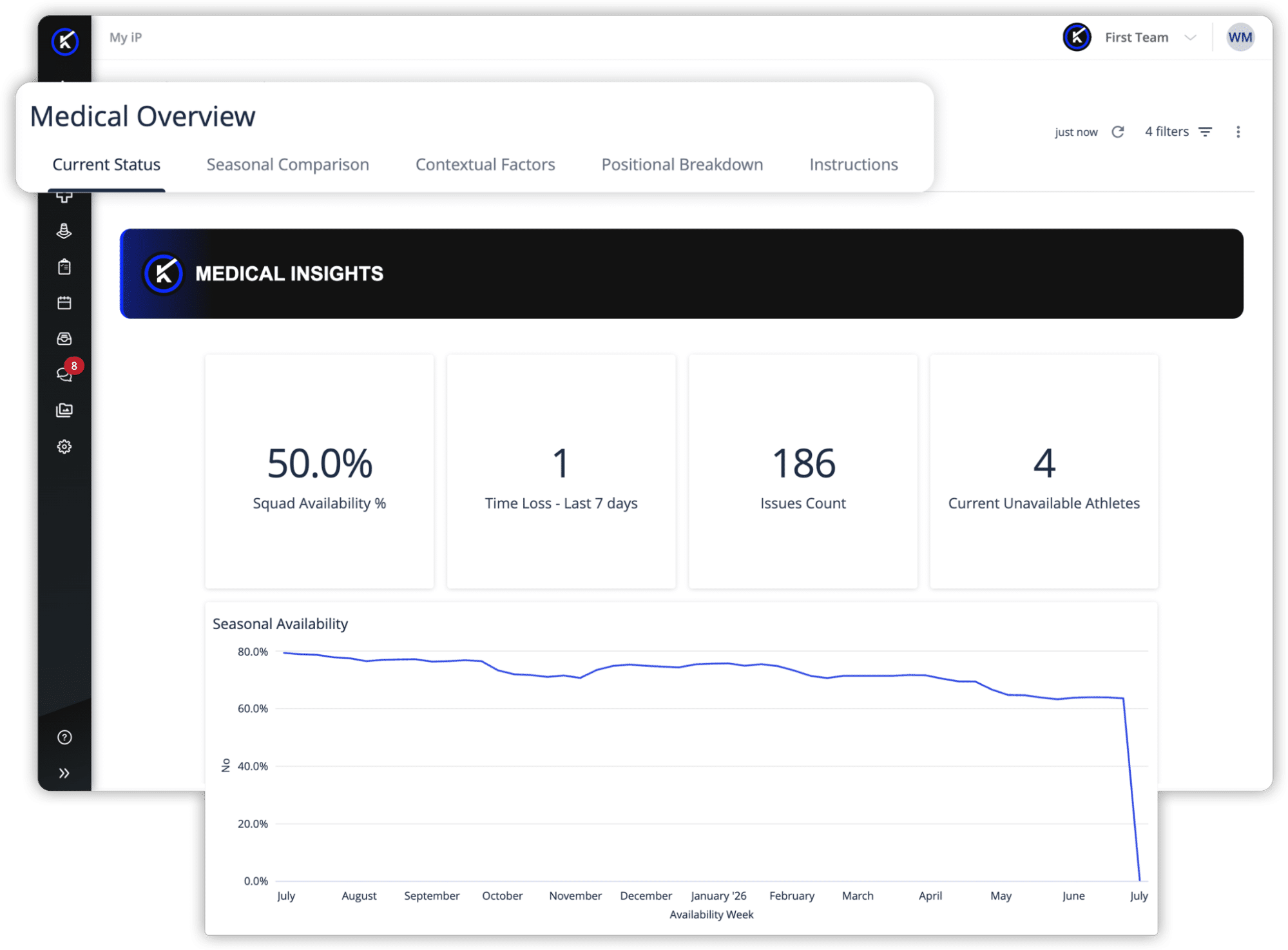
Teams can start with a top-line view of current unavailable athletes, recent time-loss, and team availability—a live readout staff can return to throughout the day as the picture changes.
This gives medical leaders and staff a quick read on current medical status before moving into the details behind the numbers. Instead of starting from multiple reports, staff can begin with a shared view of who is available, who is unavailable, and how recent medical activity is affecting the team.
AVAILABILITY AND TIME-LOSS TRENDS
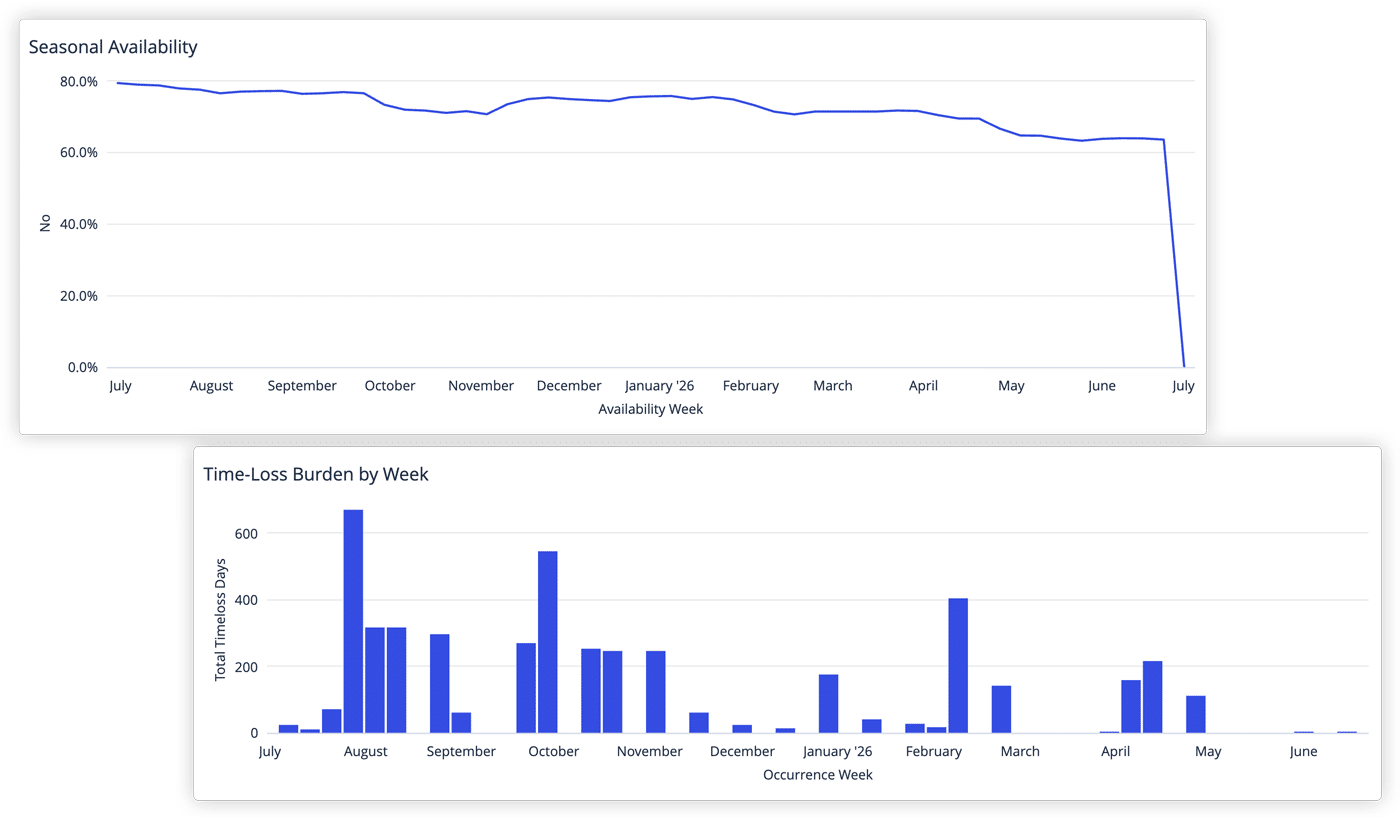
Availability can change quickly, and the trend matters.
The dashboard helps teams review availability by week and recent time-loss burden, giving staff a clearer way to see whether team availability is stable, improving, or becoming more difficult to manage. This supports more informed conversations around short-term planning, medical priorities, and athlete support.
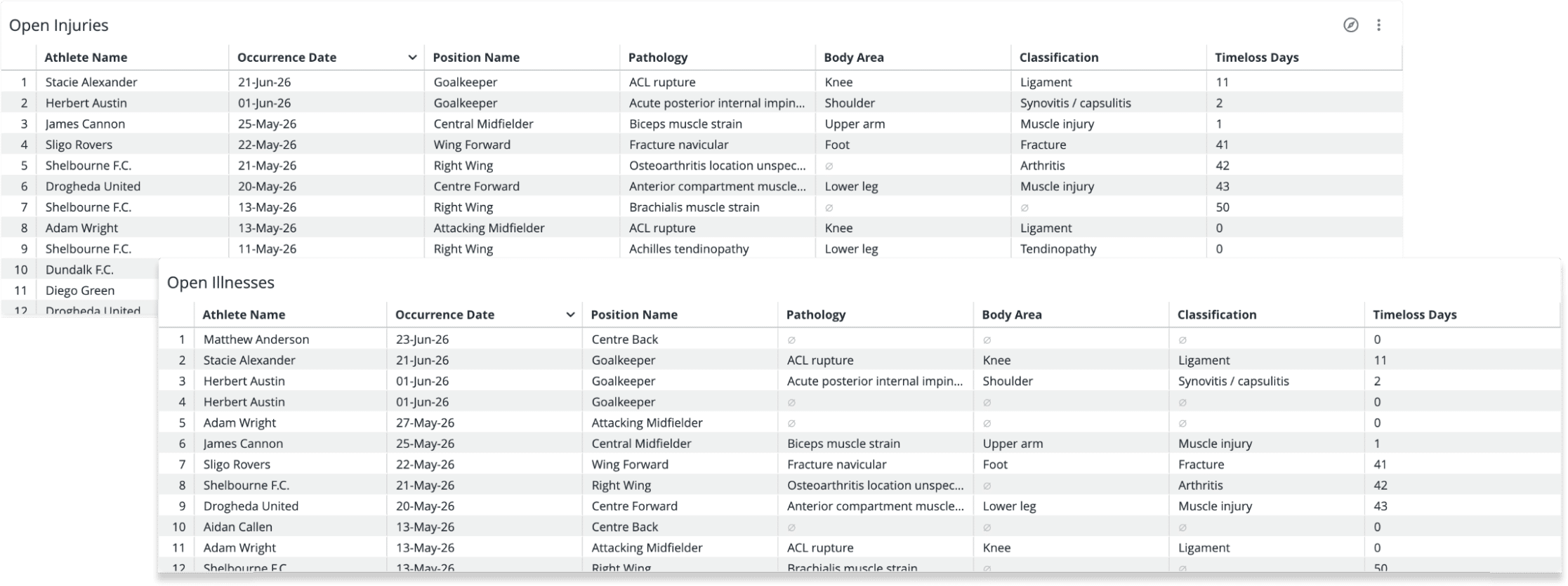
CURRENT INJURIES AND ILLNESSES
Medical teams need to know what is open now.
The dashboard provides a view of current injuries and current illnesses, including relevant details such as athlete, date, body area, classification, pathology, availability status, injury status, position, and time-loss.
That helps staff review active cases more efficiently and align around what may require follow-up, further discussion, or closer monitoring.
RECENT INJURY AND ILLNESS ACTIVITY
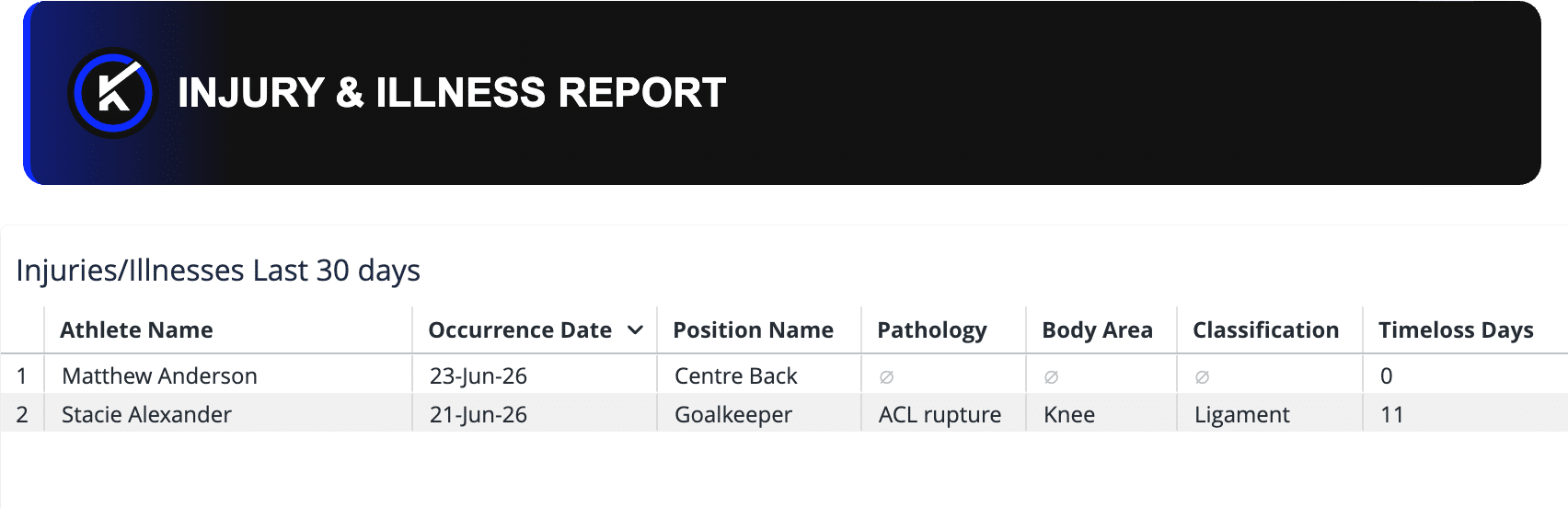
A current medical picture is not only about what is open today.
The dashboard also helps teams review injuries and illnesses from the last 30 days, giving staff a clearer view of recent activity and how it may relate to current availability, time-loss, or planning needs.
This makes it easier to understand what has changed recently and whether certain cases, patterns, or athlete groups may deserve closer attention.
SEASONAL COMPARISON
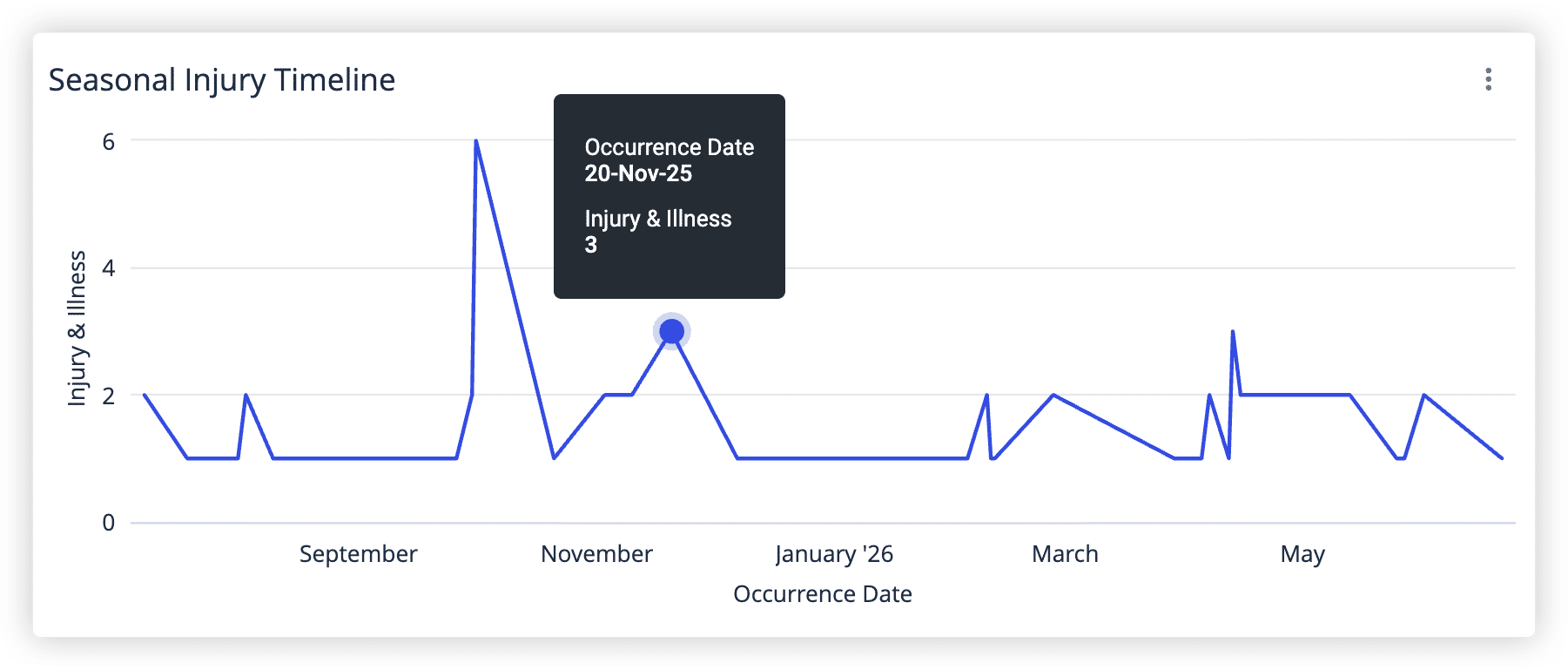
Current status becomes more useful when teams can compare it with a broader view.
The dashboard helps medical teams review current availability, injury count, and time-loss alongside season-over-season comparisons. This gives staff and leadership a stronger way to understand whether the current medical picture is tracking differently from previous seasons.
MEDICAL TREND FACTORS
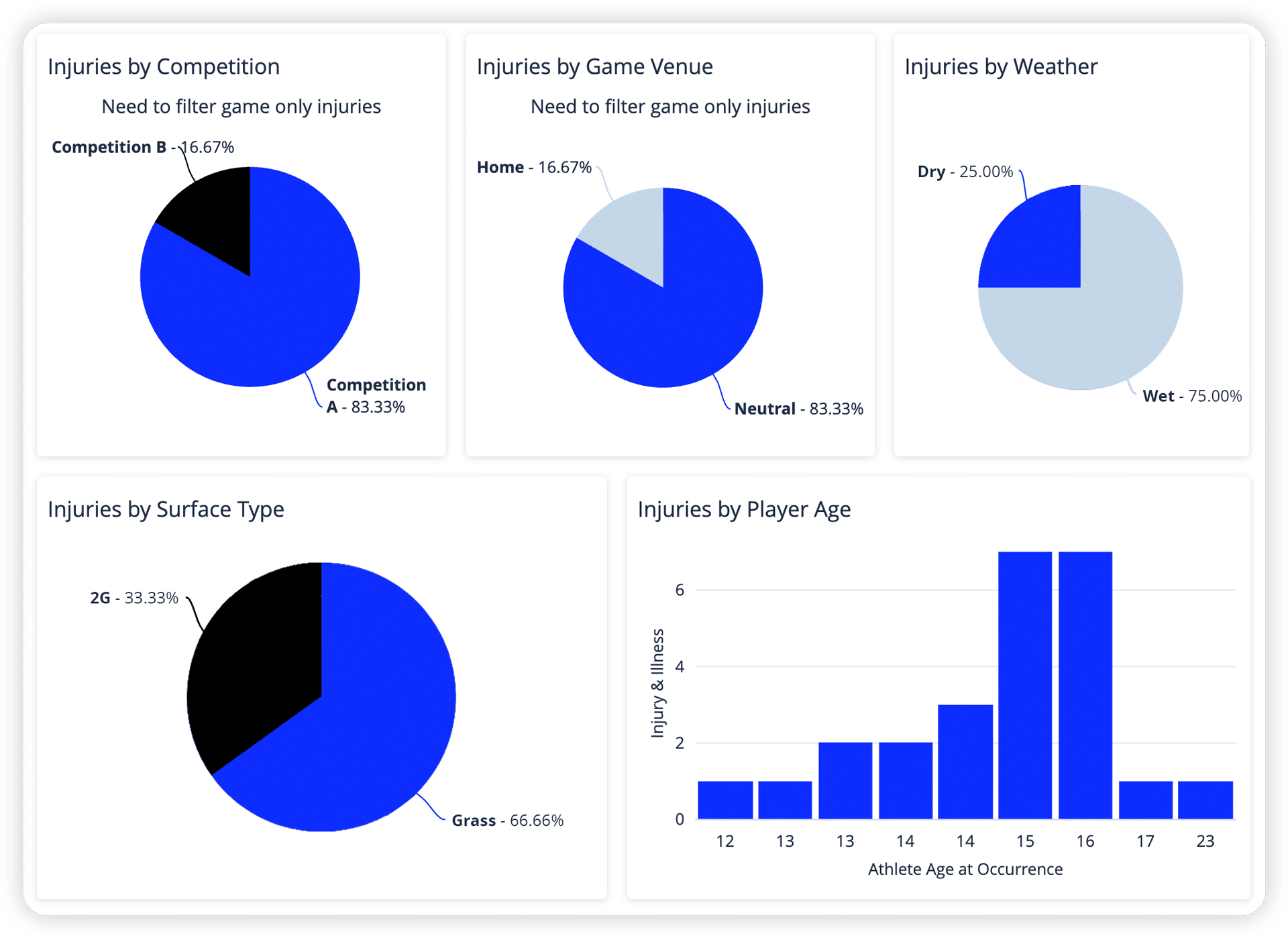
When questions arise, teams often need to look beyond the headline numbers.
The dashboard helps staff explore medical trends by factors such as age, activity type, contact type, competition, weather, position group, body area, classification, pathology, onset, and venue.
This gives teams a clearer starting point for understanding whether current or recent medical activity may be connected to broader patterns that deserve further review.
Classification, body area, and pathology views align with the OSIICS sports injury coding standard, helping teams review clinical patterns more consistently.
What This Looks Like in Practice
The Medical Overview Dashboard supports a natural progression from current medical status to deeper review.
- A Head of Medical can start with current availability, unavailable athletes, recent time-loss, and active cases to prepare for staff updates, leadership conversations, or planning meetings.
- Physios and Athletic Trainers can review current injuries, illnesses, and recent cases to understand what has changed, which athletes may require follow-up, and whether current cases appear isolated or part of a wider medical pattern.
- A Sporting Director or leadership stakeholder can use the dashboard to understand current team availability, recent time-loss, and broader seasonal trends without needing a manually rebuilt report.
- Performance staff and sports scientists can review medical activity alongside trend factors such as activity type, exposure setting, position group, surface, or competition to support more informed cross-functional conversations.
These are common examples of how teams can apply the dashboard in practice.
Supporting Medical Decisions Without Replacing Practitioner Judgment
The dashboard is designed to support decision-making, not automate it.
Its purpose is not to tell medical teams what action to take. It is to make current medical information easier to see, review, and discuss. By bringing availability, active cases, recent time-loss, injury and illness activity, seasonal comparison, and trend factors into one connected view, the dashboard gives staff a stronger starting point for conversations about team health, athlete support, and medical planning.
Because the shared template can be personalized, teams can keep the review structure consistent while shaping the view around the reporting needs, review habits, and medical priorities that matter most to their organization.