Within Performance Management Dashboards in My iP, the Game view helps practitioners use match output to understand what competition required and carry those demands into planning and review.
By bringing together squad and individual match data across key workload metrics, it gives staff a reliable reference point for match demands that can be carried directly into planning.
Ground Training Decisions in Actual Match Output
The Game view is where match demands become usable.
Rather than treating competition data as something separate from training review, this view brings match output into the same workflow as the rest of the Performance Management Dashboards. That matters because training decisions are stronger when they are grounded in what competition actually required.
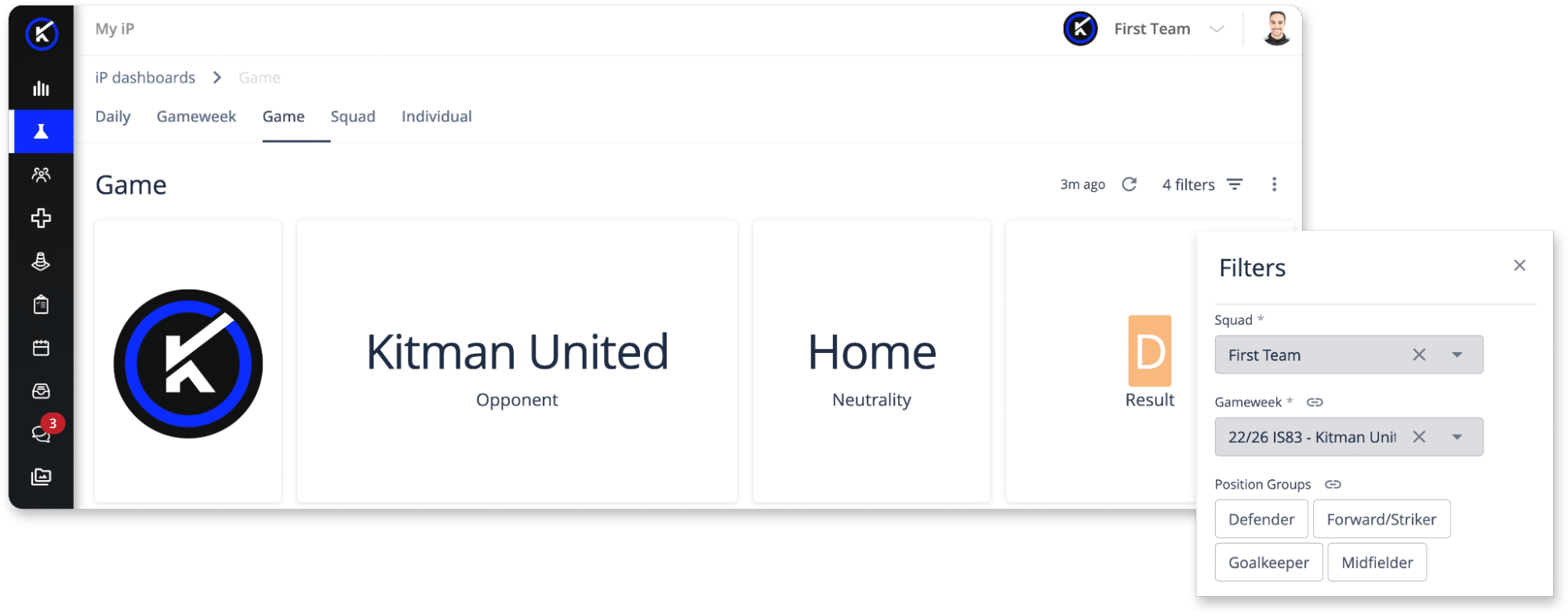
It gives teams a more reliable benchmark for planning the days that follow.
Power % Game Max Across the Rest of the Dashboards
The Game view also provides the foundation for % Game Max across Daily and Gameweek Analysis.
This metric compares training output to a player’s match output, showing how close a session comes to the demands of competition. It is calculated automatically from match data in the system, so the reference point stays current as new games are played.
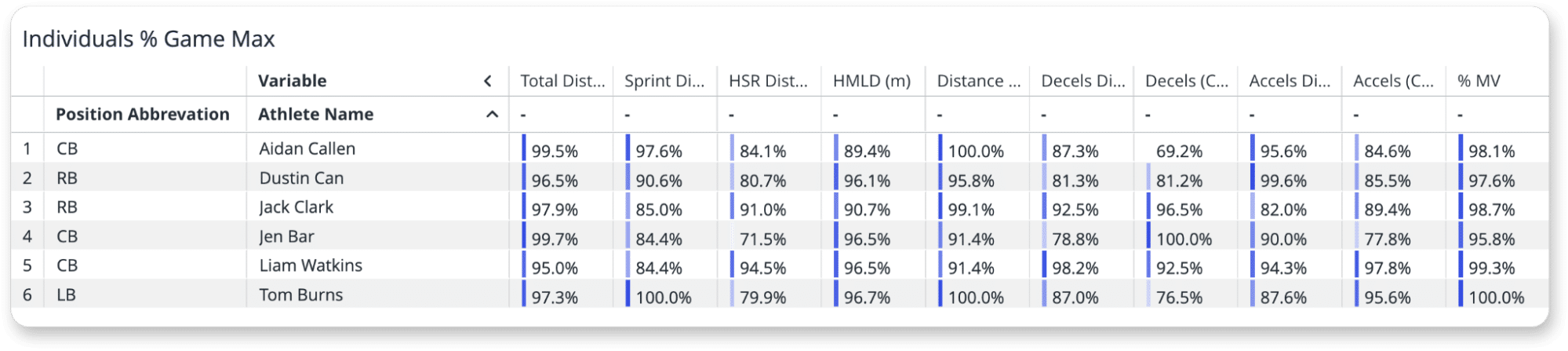
That removes the need for separate reference sheets or manual formula updates. More importantly, it means the training benchmarks used across the other views are grounded in actual competition data rather than static numbers pulled from a single test or one-off assessment.
Understand Positional Demands More Clearly
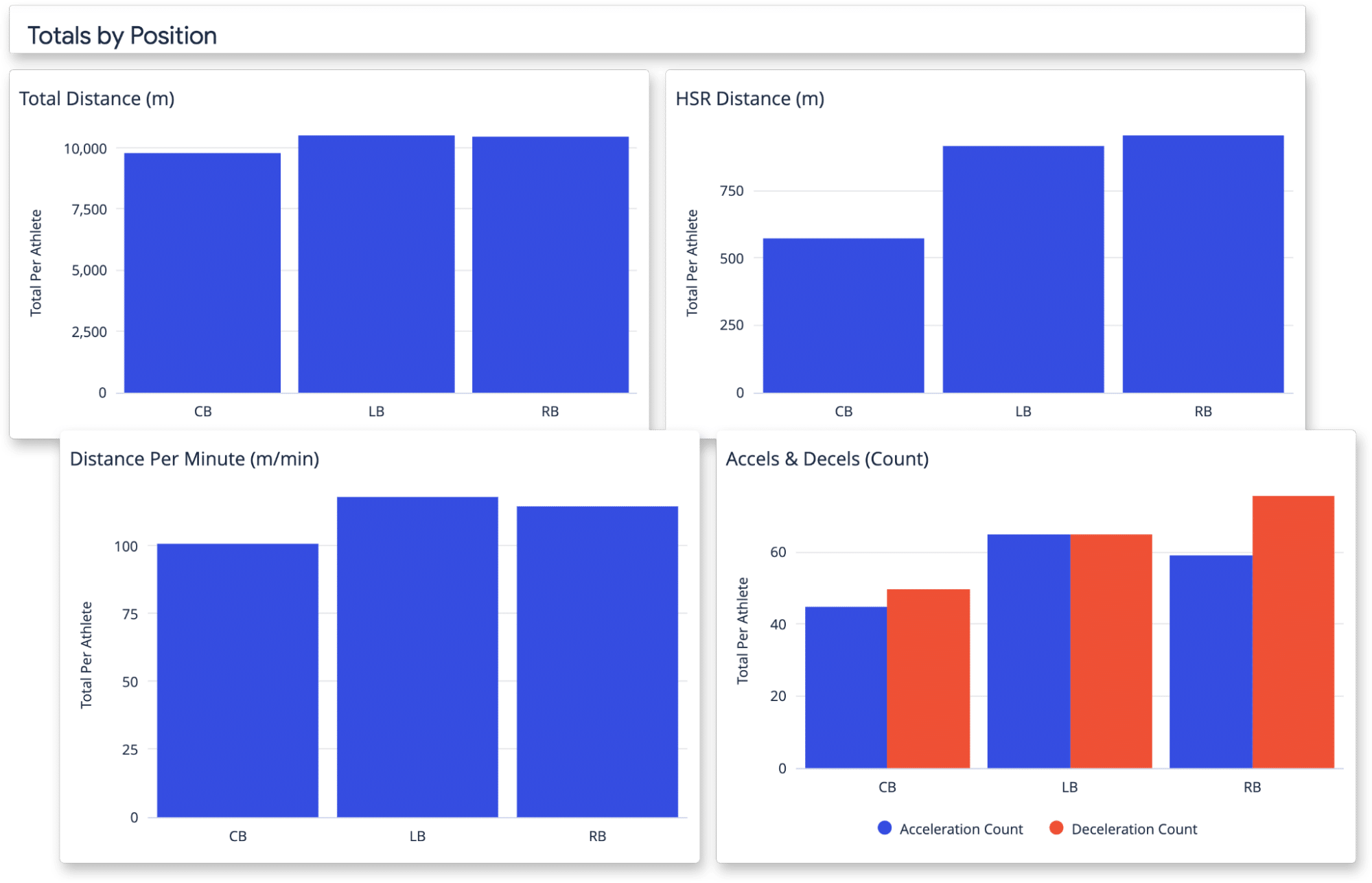
The Game view also helps staff examine how match demands differ by role.
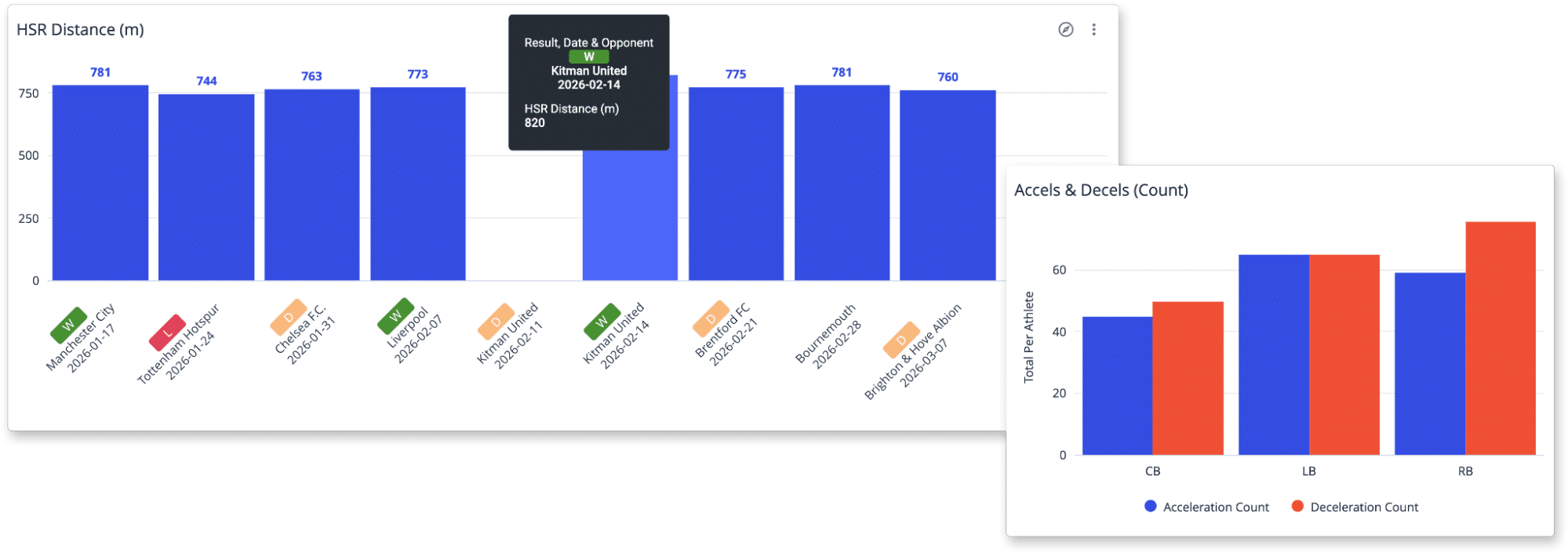
Positional demands are not uniform, and teams need a clearer picture of what competition required from different players. This makes the Game view especially useful when staff need to set more realistic expectations by position rather than applying one benchmark across the entire squad.
This is important not just for review, but for planning, because different roles may need to be prepared differently across the training week.
Use Match Data to Inform the Week Ahead
The value of the Game view is not just in reviewing what happened.
It helps teams use match data as a planning reference point for what comes next. If a recent fixture produced unusually high acceleration counts, different sprint demands, or role-specific outputs that stand out from the norm, staff can carry that forward into training design and weekly planning.
The aim is not to turn match data into a target that must always be matched. It is to use it as a more reliable reference point for judgment.
For a related workflow, see: Training Load in Game Context
From Match Review to Better Planning
The Game view helps performance teams turn competition data into a usable reference for planning.
It gives staff a clearer way to review match output, understand what different roles were asked to do, and carry those demands into the planning process across the rest of the microcycle. That makes it easier to interpret training load against real competition requirements and keep planning grounded in the demands players actually face.
See Game Analysis in Action
This short walkthrough shows how the Game view helps teams review match output, understand positional demands, and use competition data as a reference point for planning.