Within Performance Management Dashboards in My iP, the Squad view helps practitioners monitor workload trends across the group over a selected period.
By bringing together cumulative squad and individual data across key workload metrics, it gives staff a clear picture of how load is building over time and how players compare across the group. This creates a broader view of squad status that goes beyond a single session or week.
Monitor Load Across the Squad Over Time
The Squad view is designed to answer a simple question: how is the squad tracking across the current block?
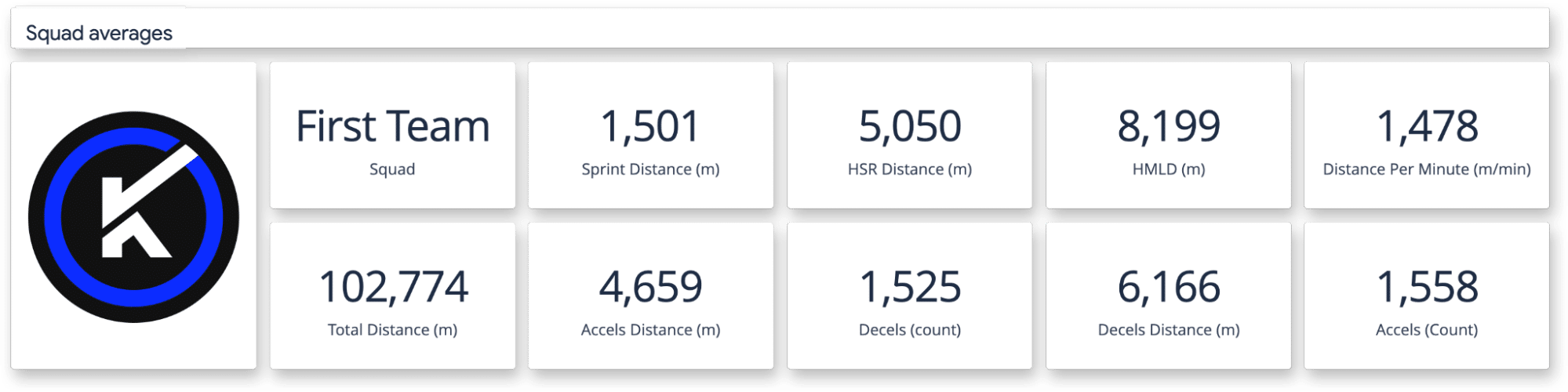
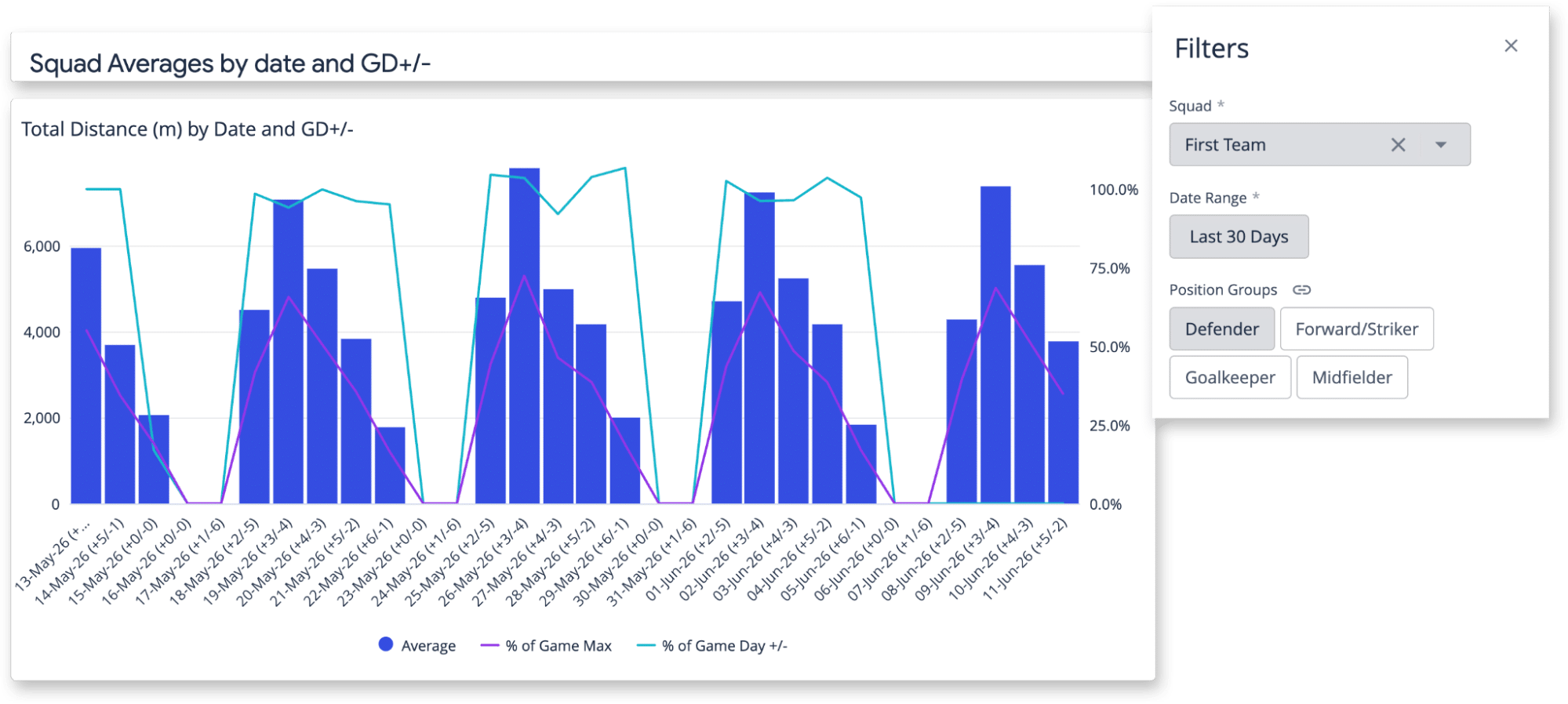
By looking at cumulative metrics such as Total Distance, High-Speed Running, Sprint Distance, Accelerations, Decelerations, and High Metabolic Load Distance over a selected date range, staff can assess whether load is building as intended across the group.
This shifts the focus from short-term review to a wider view of how training is accumulating over time.
Identify Anomaly Early
The value of the Squad view comes from how clearly it surfaces differences across the group.
By comparing players against squad averages or within position groups, practitioners can quickly identify who is consistently above or below expected levels. These differences typically reflect missed sessions, modified participation, or variations in training exposure.
The key is that these signals appear early. Rather than reacting after a problem has already impacted availability, staff can spot emerging imbalances and address them before they compound.
See how this applies in practice: Squad and Individual Load Alignment
Support More Effective Planning Conversations
The Squad view also plays a key role in communication across staff.
When preparing for planning meetings or post-block reviews, practitioners can share the same view as a PDF or printed report. That means coaches, medical staff, or others who are not working directly in the platform can still see the same data.
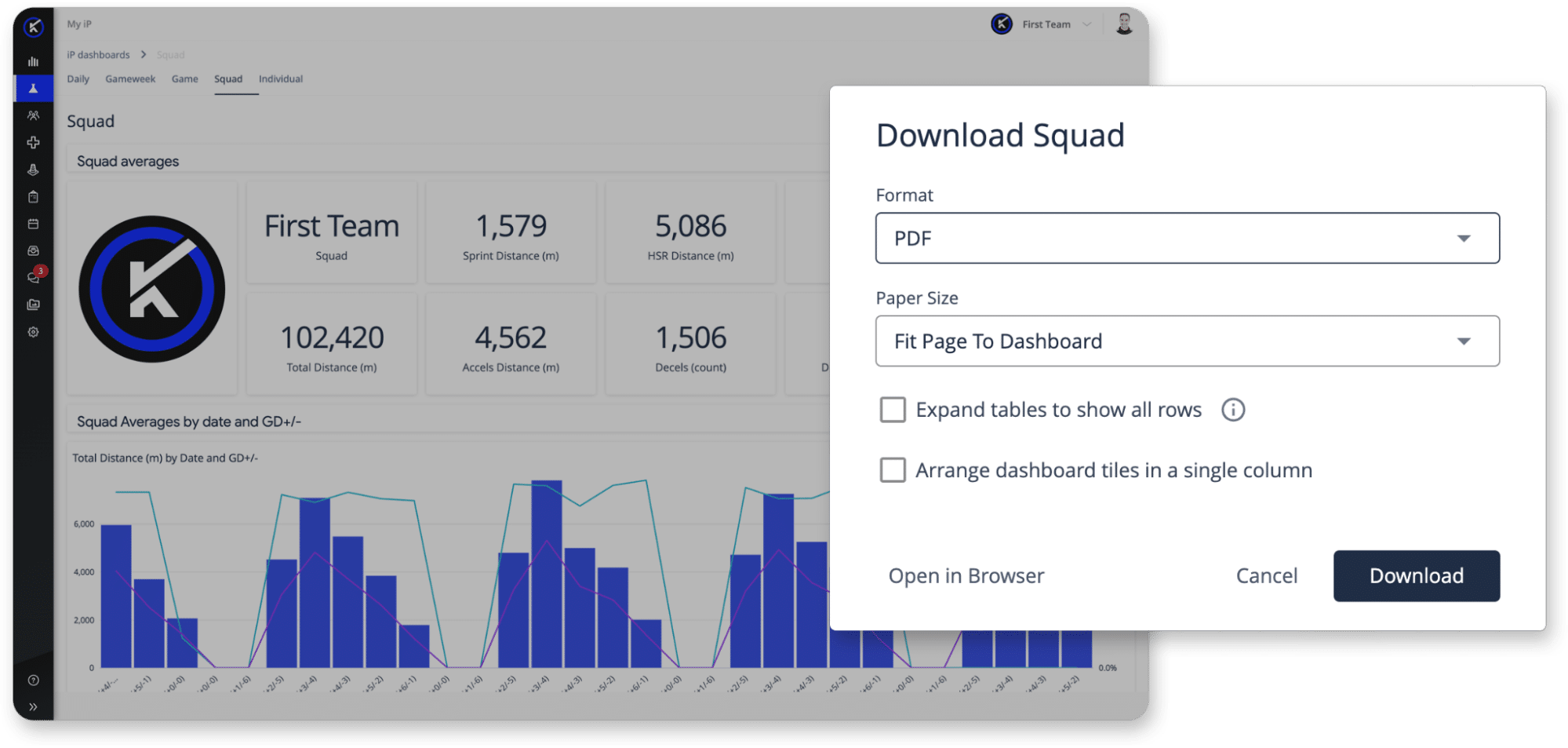
Having a shared reference point changes the quality of the conversation. Instead of summarizing trends, staff can review the same information together and align more quickly on player management decisions.
From Squad Trends to Better Decisions
The Squad view helps performance teams move from observing trends to acting on them.
It provides a clearer picture of how load is distributed across the group, highlights where players are diverging from expectations, and supports more aligned decision-making across departments. This makes it easier to keep planning grounded in how the squad is actually progressing over time.
See Squad Analysis in Action
This short walkthrough shows how the Squad view helps teams monitor workload trends, identify imbalances across the group, and support planning conversations with a shared view of the data.