Managing athlete performance takes more than coaching. Coaches, sports scientists, medical staff and operations managers all work with the same athletes. They need to prepare for the next game while supporting progress over the season.
Traditional Athlete Monitoring Systems (AMS) often focus on recording what athletes did in training. That is useful, but staff also need to compare the session with the plan and decide what to change next.
When recording and planning are not connected, teams can run into familiar problems:
- Data is spread across systems. Performance, coaching and medical staff may each have part of the picture, making it harder to plan together.
- Preparing data takes too long. Staff spend time copying and checking information before they can use it.
- Updates come too late. By the time staff have the numbers, they may have missed the chance to adjust training.
- Missing data gets overlooked. Reports can give the wrong picture when information is incomplete or incorrect.
- Plans are harder to check. Without a clear comparison, staff cannot easily see whether the session matched the plan.
Kitman Labs’ Performance Optimization Solution in iP: Intelligence Platform connects training plans, participation, wellness and recovery information. Staff can see what happened, compare it with the plan and decide what comes next.
A Clear View of Performance and Wellness
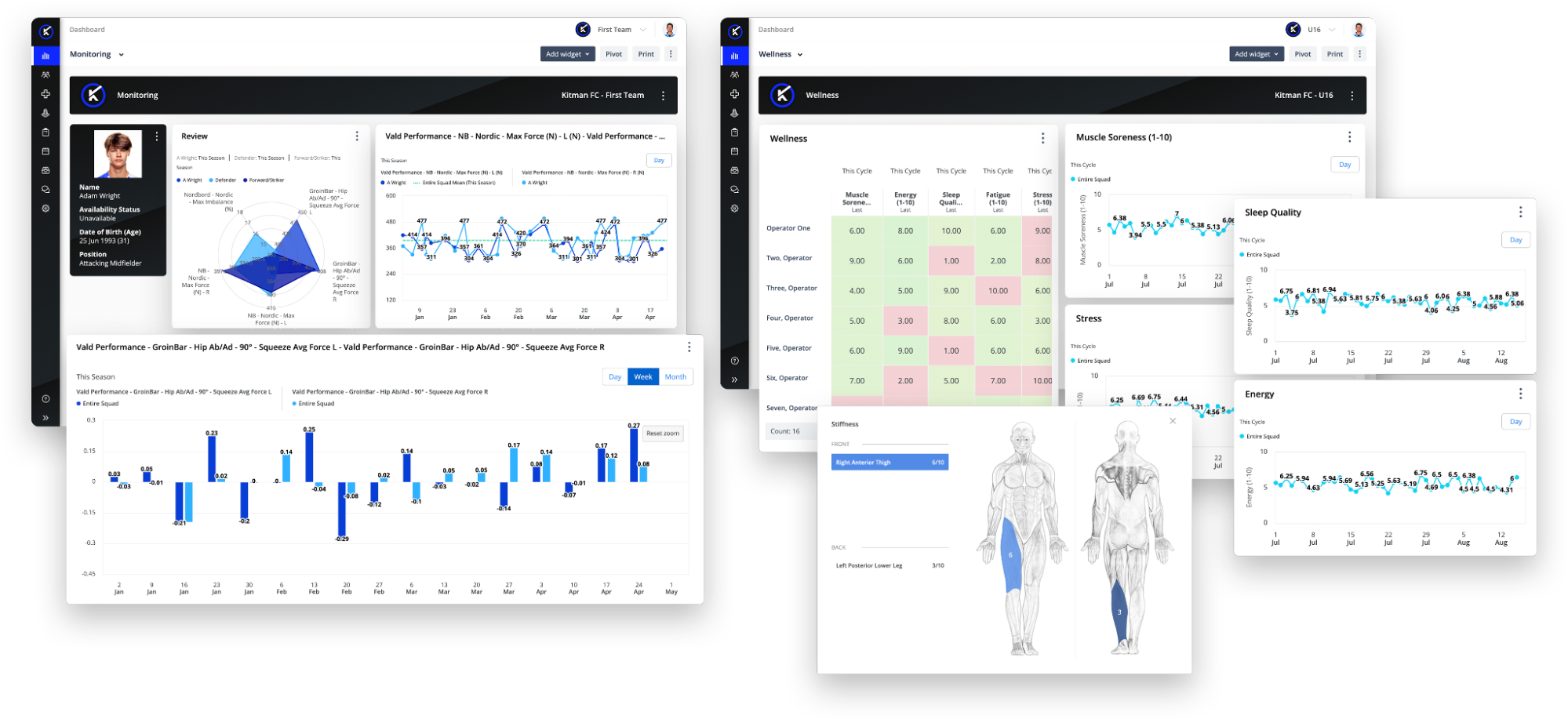
Performance Optimization brings training, game participation, wellness and recovery information into one view in iP: Intelligence Platform. Staff can check a whole squad or one athlete and see how things change over time.
How It Adds Value
Staff can compare training load, wellness and recovery without checking separate reports. That helps them spot changes that may need attention.
The Result
One record per athlete that performance, coaching and medical staff all work from, so plans are built on the same information.
Tracking Performance Measures
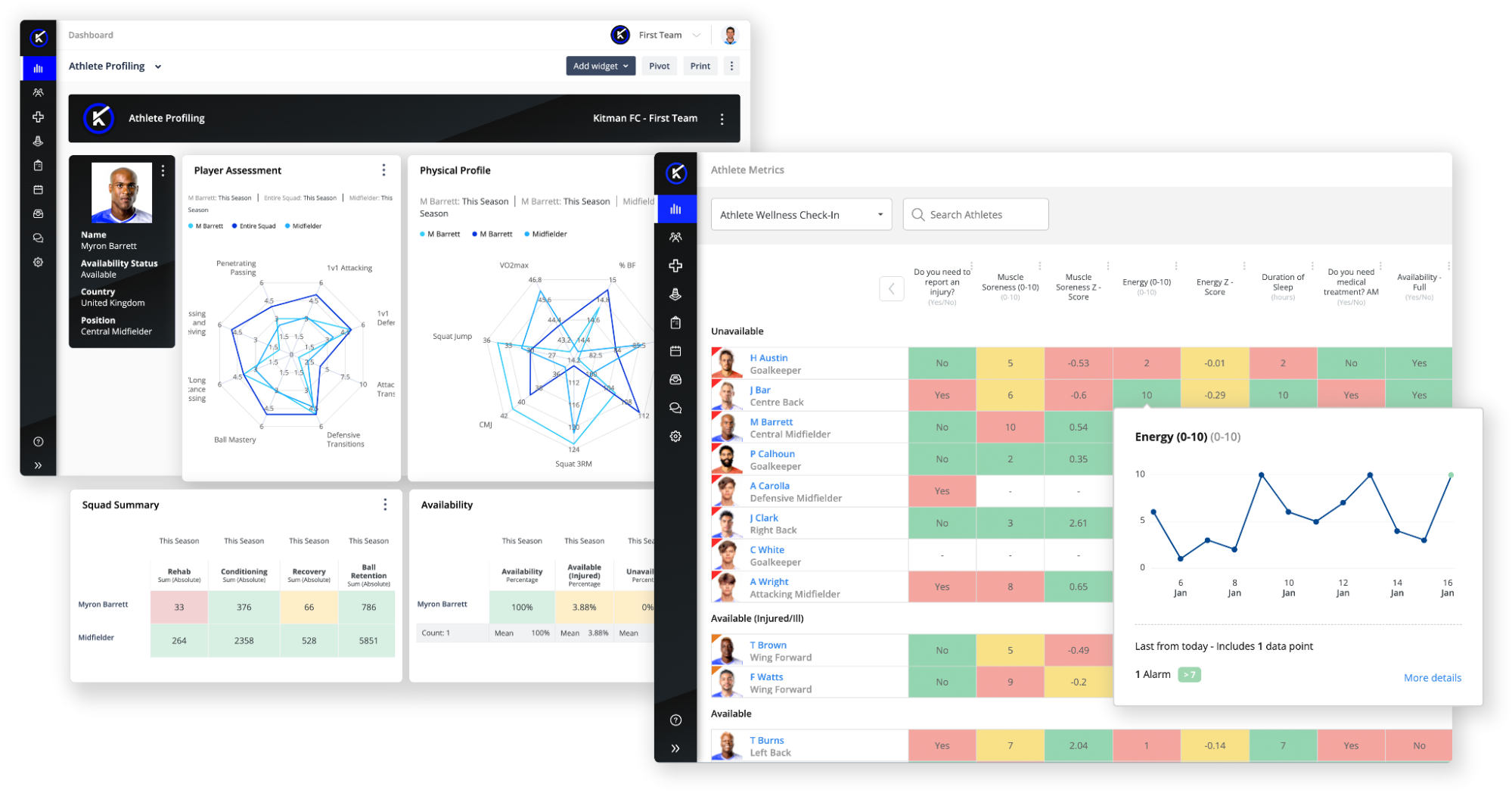
Gym results, training load and other performance measures sit together in Performance Optimization. Staff can choose which measures to review, so coaches, analysts and medical staff see information relevant to their work.
How It Adds Value
Staff can compare an athlete’s results with those of athletes in the same position, or with goals set for their development. This makes it easier to see progress and agree on the next step.
The Result
Performance and coaching staff can use the same athlete data to adjust individual plans and track progress across the season.
Bringing Performance Data Together
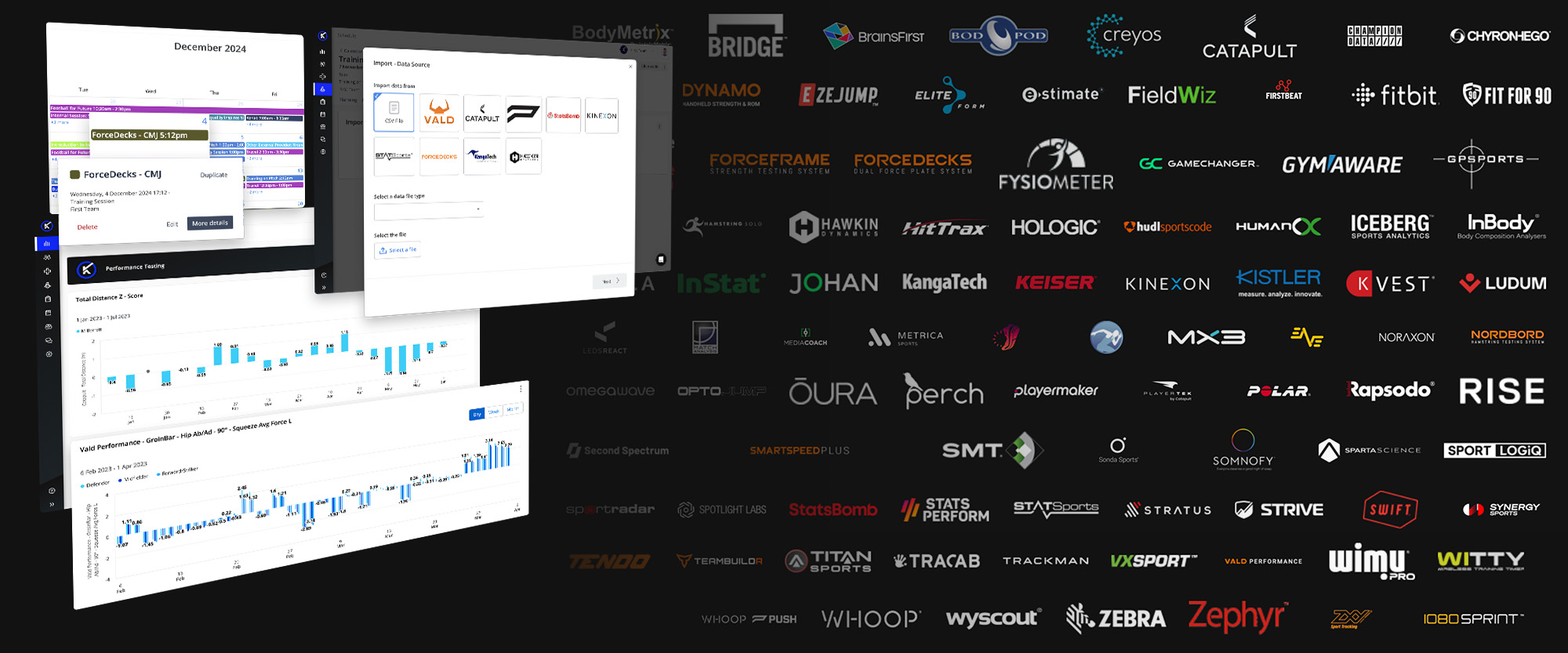
iP: Intelligence Platform connects data from GPS trackers, wearables, video and other systems. Performance Optimization brings that information into dashboards so staff can review workload, performance and recovery without opening several tools. Explore integrations for iP.
How It Adds Value
- Consistent measures – iP organizes information from connected sources so it is easier to compare.
- Shared information – Staff can review data relevant to their roles without asking another department for a spreadsheet.
- Data ready to review – iP helps turn incoming data into information teams can filter, compare and chart.
- Changes over time – Teams can compare today’s session with earlier sessions or previous seasons.
- Security and privacy – Kitman Labs holds ISO/IEC 27001:2022 and ISO/IEC 27701:2019 certifications for information security and privacy management.
- Less manual setup – Connected sources reduce the need to move data by hand each time staff prepare a report.
The Result
Less time moving data between systems, and more time comparing training, workload and recovery.
Planning Training and Tracking Participation
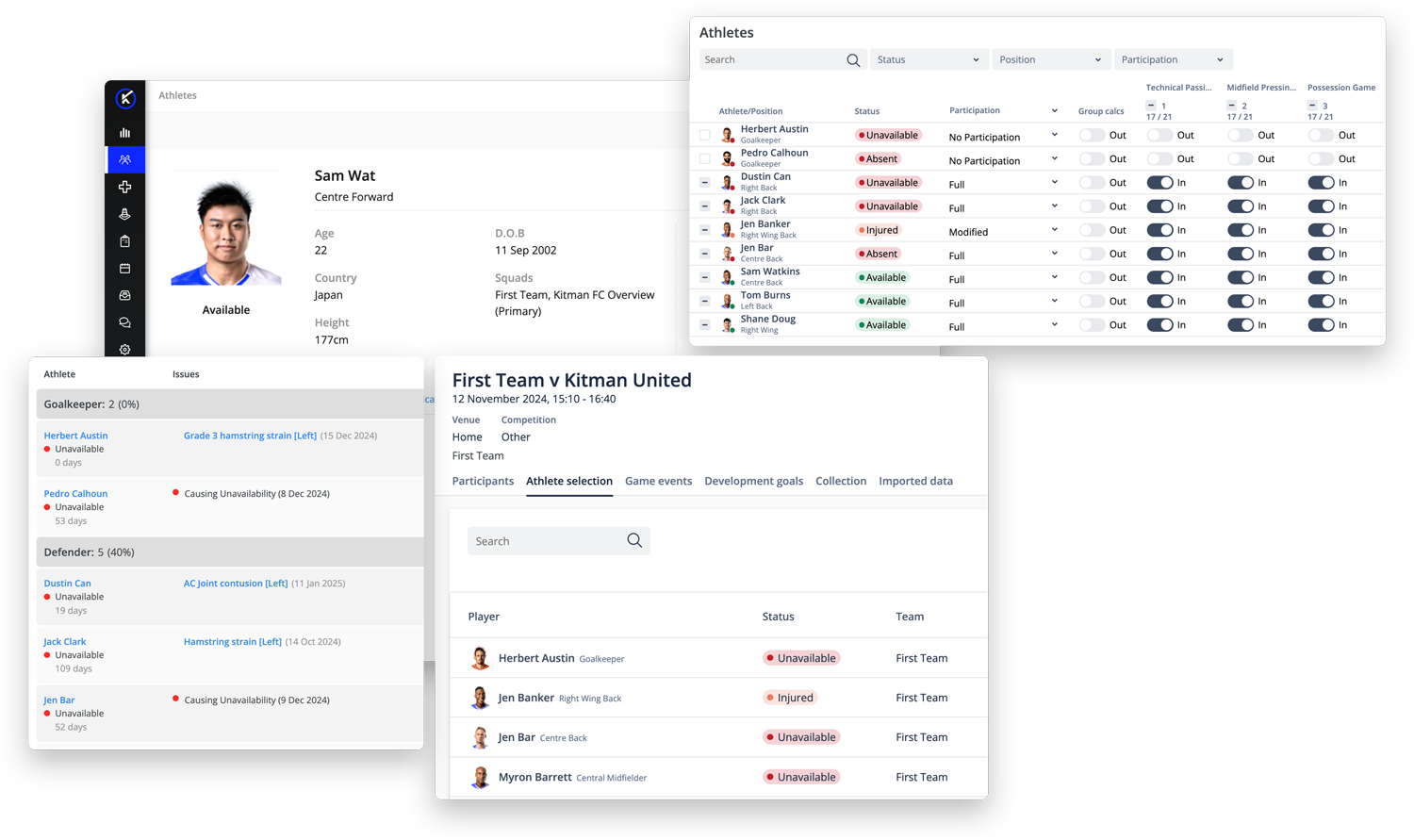
Performance Optimization connects session planning, workload tracking, training participation and game data. Staff can see when athletes complete a full session, follow a modified plan or miss training, then use that information to plan what comes next.
How It Adds Value
Staff can compare the plan with the training athletes actually completed. That helps them adjust the next session around each athlete’s participation and current status.
The Result
Clearer plans for full and modified training, with staff able to see what each athlete took part in.
Collecting Assessments and Feedback
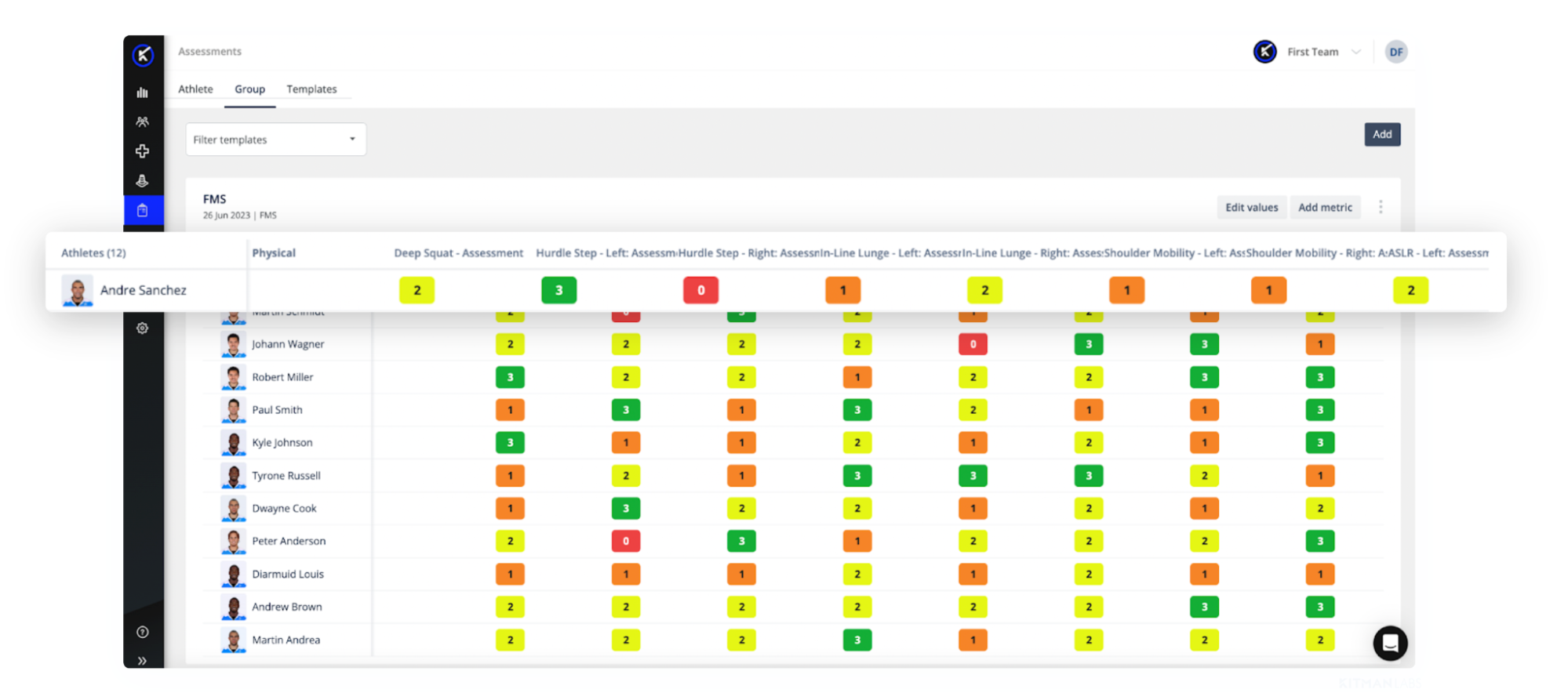
Some information comes from athletes on a regular basis, like wellness, RPE and soreness. Other information is collected through forms staff build themselves, like assessments and reviews. Athlete Screening and Forms in iP: Intelligence Platform cover both, and everything connects to the same athlete record.
How It Adds Value
Staff can review answers as they come in and use messaging in iP to follow up when something needs attention.
The Result
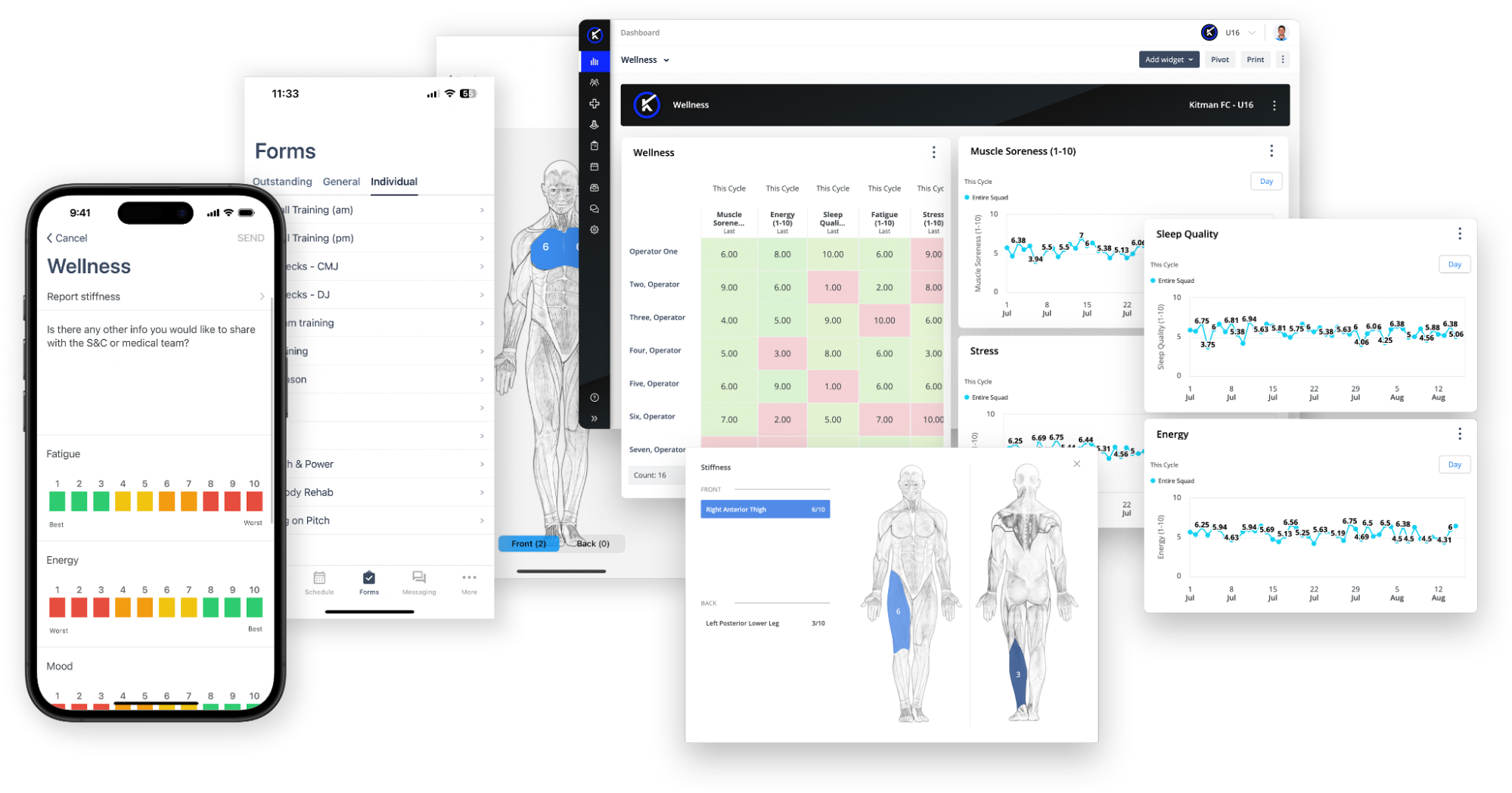
Wellness, RPE and assessment answers sit with the rest of an athlete’s performance data, ready to report on in My iP.
Reviewing Performance Data in My iP
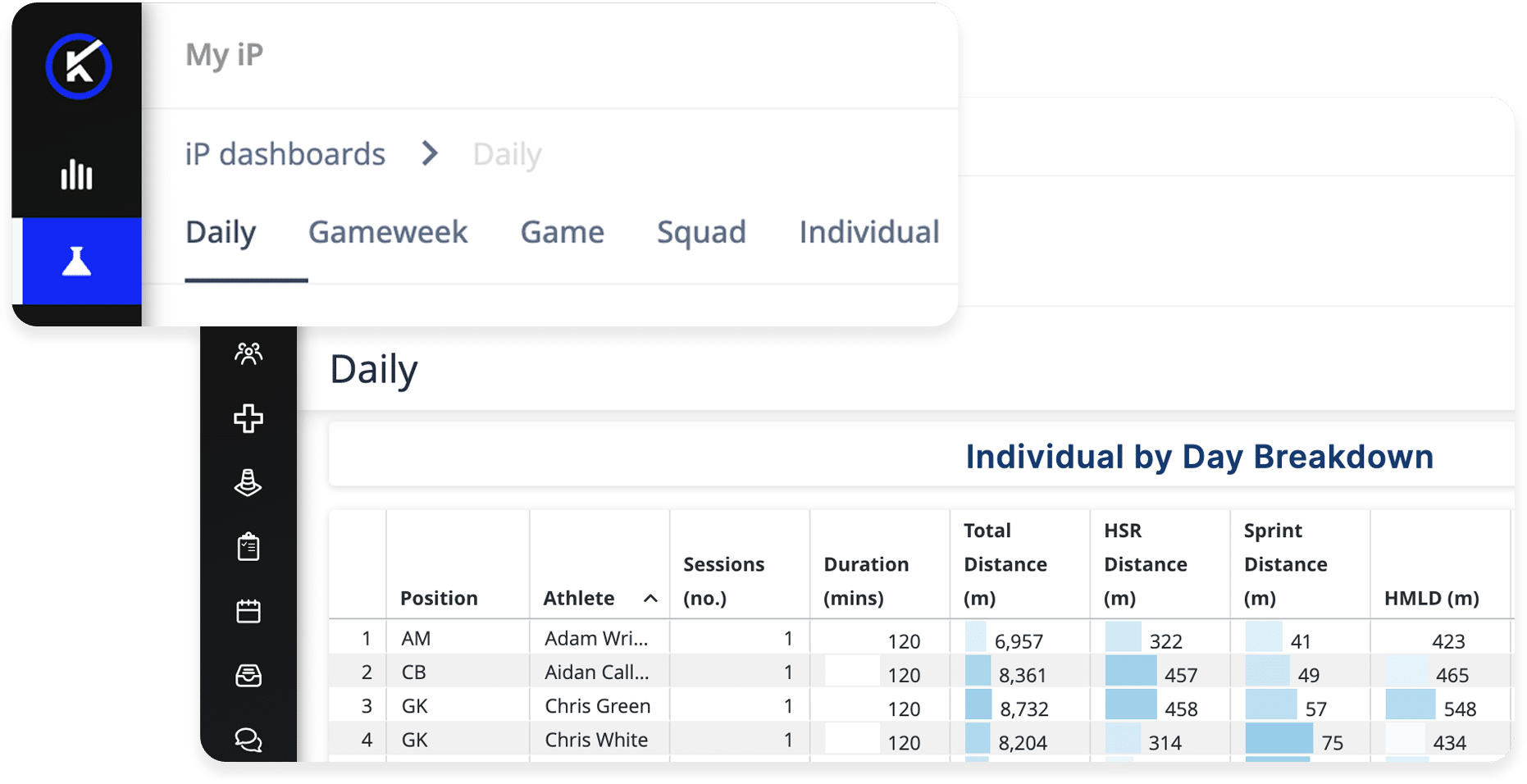
Collecting performance data is one job. Reviewing it across a squad, a training week or a season is another. My iP, the Reporting & Visualizations experience in iP: Intelligence Platform, gives staff dashboards built on the data already held in Performance Optimization.
How It Adds Value
- The Performance Monitoring Dashboard shows readiness, recovery and recent training load in one daily view, helping staff see who may need a closer look.
- The Performance Management Dashboards show workload by session, drill, athlete and training week. Staff can move between Daily, Gameweek, Game, Individual and Squad views.
- The Metrics Data Health Checks Dashboard highlights missing data, gaps in records and unusual values that staff may need to check before using a report.
These dashboards are ready-made templates. Users with Creator access can copy and adapt them to fit their own measures, thresholds and data sources.
The dashboards support the decisions staff make. They do not make them.
The Result
Staff can review performance over time without rebuilding the same reports each week. Coaching, medical and performance staff can use a consistent view when planning next steps.
Keeping Athletes and Staff Connected
Schedules, updates and messages are also part of managing performance. The Athlete and Coach apps connect to iP: Intelligence Platform, so athletes and staff can check what they need without going back to a desk.
Athlete App
Athletes can check their schedules, get updates and message coaching or medical staff through the Athlete App.
Coach App
Coaches and staff can use the Coach App to check athlete status, see alerts and read messages while away from their desks.
How It Adds Value
A shared calendar and messaging tools help everyone stay up to date when plans change. Athletes know their schedules, and coaches can check athlete status before planning training.
The Result
Clearer schedules and quicker updates for athletes, coaches and performance staff.
Why Choose Performance Optimization?
Kitman Labs’ Performance Optimization Solution brings training, participation and performance measures together in iP: Intelligence Platform, with information each role can use.
- Coaches: Plan training around the team’s playing style, athlete status and individual development needs.
- Sports Scientists and Analysts: Track workload, compare results and spot changes that may need a closer look.
- Medical Professionals: Review workload, recovery and athlete-reported wellness when considering participation and return to training.
- Operations Managers: Manage participation, schedules, logistics and updates shared through the Athlete and Coach apps.
When staff work from connected information, they can see what happened and plan what comes next throughout the season.
Want to see how it works? Contact us to learn more.